




We’re wrapping up the year with a bang! 🚀 Our latest SIGNL4 release is packed with new features and improvements to help you keep employees safe when working alone, automatically connect callers with the right team, and stay on top of incidents. And that’s just the beginning. Check out what’s new!
Lone Worker Protection – Because No One Should Be Left Alone in an Emergency!
What happens when someone is working alone and suddenly needs help? With SIGNL4’s new Lone Worker Protection feature, you can make sure help is alerted quickly in an emergency.
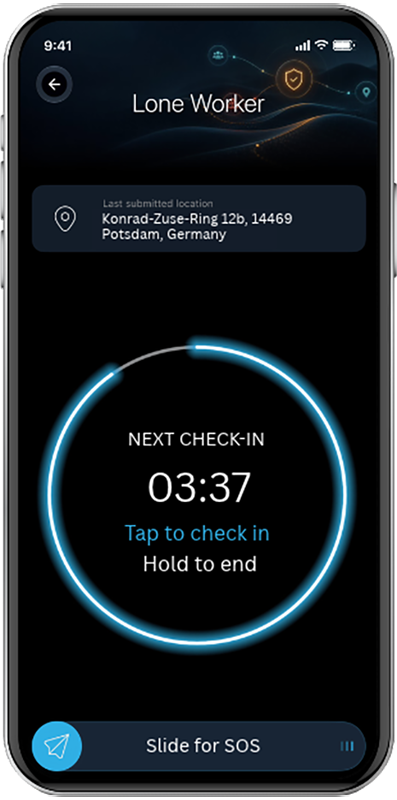
Employees can check in regularly with just a few taps in the SIGNL4 mobile app for Android and iOS to confirm they’re safe. On-device reminders let them know when it’s time to check in.
If someone misses a check-in, they’ll first receive a warning on their device. If they don’t respond, SIGNL4 automatically triggers an alert and notifies the designated emergency response team, including the employee’s last known location and phone number, if available.
Employees can also manually trigger an SOS alert whenever they need help. Both missed check-in and SOS alerts appear in the SIGNL4 web portal, along with the employee’s location. That way, you can help protect your employees even when there’s no one else around.
Available with the SIGNL4 Optimize plan and above.
AI Voice Agent – Automatically Route Calls Based on the Caller’s Request
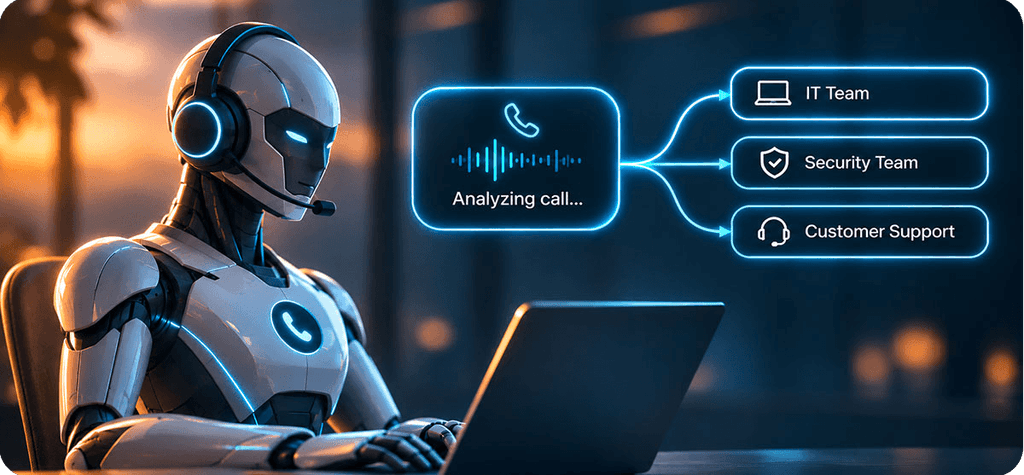
Meet SIGNL4’s new AI Voice Agent! It answers incoming calls, talks to callers to understand their issue or request, and automatically routes them to the right team or whoever is currently on call.
For the first time, you can use a single SIGNL4 phone number to reach multiple teams, without callers having to know who to contact. Simply choose which teams the AI agent can route calls to. You can also configure it to forward calls to just one team.
With natural-sounding voices and multilingual support, the AI agent can switch to the caller’s preferred language upon request.
Every related SIGNL includes a transcript of the conversation, so your team knows what the call was about, even if they missed it, before calling back.
Privacy matters: The underlying AI model is hosted in Europe, and conversation data is never used to train it.
Available with the SIGNL4 Maximize plan.
New Category and Map Views – Keep Track of Incidents at a Glance!
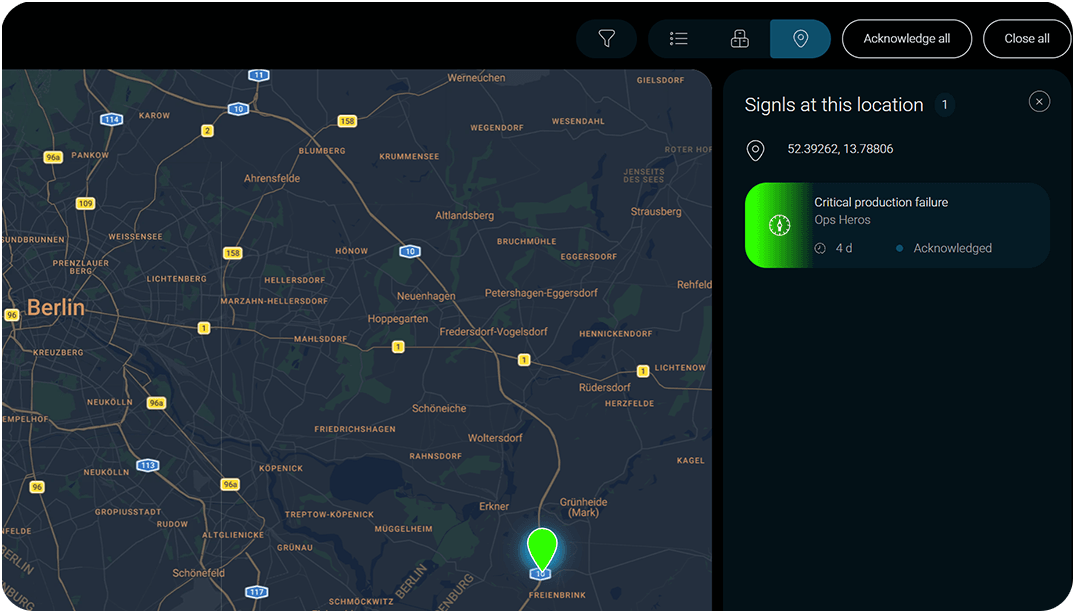
Where are incidents happening, and which areas are affected? With two new views in the SIGNL4 Signl Center, it’s easier than ever to see what’s going on. Alongside the existing list view, you now have two additional ways to explore your alerts:
- Category View: Quickly see which areas or assets are affected and how severe incidents are, depending on how you’ve configured your alert categories.
- Map View: See exactly where incidents occurred on a map, as long as a location was configured for the alert type or captured when the alert was triggered.
Get a clearer picture of what’s happening so you can respond faster and more effectively.
More Highlights in This Release
- A fresh look for the web portal: Updated colors and a cleaner design make everything easier to read. Workflow details now feature a more organized, Bento-style layout with grouped information and less scrolling.
- Easier navigation: You can now collapse the navigation menu to free up screen space, especially on your dashboard. A new hover menu also makes it easier to jump between team pages.
- Better dashboard insights: A new metric shows how many SIGNLs have been escalated and what percentage they represent. We’ve also improved charts and filters and added automatic refresh, making the dashboard ideal for secondary monitors and control room displays.
- Faster navigation in the mobile app: The new thumb-friendly Action Panel puts key views and actions, like viewing and acknowledging SIGNLs, right at your fingertips. No more reaching for buttons in the top-right corner!
- Single Sign-On (SSO) via SAML: SIGNL4 will also support SAML-based SSO, allowing you to use identity providers like Okta. This feature is currently in preview while we finalize the rollout and will be available with the Maximize plan.
- PDF attachments: You can now use PDFs in SIGNL chats, attach them to incoming events, and include them in SIGNL templates.
- Easier on-call coverage: Users with the “User” role can now set up on-call substitutes directly in the web portal.
- More details in CSV shift exports: User tags, including roles and skills, are now included in CSV shift exports. This makes it easier to include information that may be relevant for billing or payroll.
- Better URL handling: We’ve improved how SIGNL4 processes URLs in incoming events, so links stay intact and clickable instead of getting cut off.
We hope you enjoy exploring the new features!
