
As Atlassian moves closer to the Opsgenie retirement, IT operations, DevOps, and incident response teams are facing an important question: what comes next? For many organizations, Opsgenie is not just another tool in the stack. It has become part of the way teams work every day, connecting alerts, call management, on-call schedules, escalation policies, and incident response workflows. When a critical issue occurs, Opsgenie often sits right in the middle of the response process.
That’s why the retirement of Opsgenie is more than a software change for operations teams and Opsgenie users.
Whether you plan to move to Jira Service Management Cloud, Compass, or one of the growing number of Opsgenie alternatives, the transition deserves careful planning. Organizations that start early have time to test, validate, and improve their processes. Those that wait often find themselves making rushed decisions under deadline pressure.

Opsgenie Retirement Timeline: Key Dates Every Customer Should Know
With Atlassian Opsgenie reaching end of life in April 2027, now is the time to plan your migration during the transition period.
| DATE | MILESTONE | Impact for Opsgenie Users |
| March 2025 | Atlassian announces Opsgenie retirement | Customers begin evaluating migration options |
| June 2025 | Opsgenie Sales Are Ending | New purchases, upgrades, and downgrades are no longer available |
| June 2025 – April 2027 | Transition Period | Existing customers can continue using Opsgenie and purchase additional seats |
| April 5, 2027 | End of Support | Opsgenie will be retired and customers must complete their migration |
| After April 5, 2027 | Opsgenie End | Organizations will need to operate on their chosen replacement platform |
Atlassian announced the Opsgenie retirement as part of its broader strategy to consolidate incident management and operations capabilities across the Atlassian platform. Existing customers can continue using the product during the transition period, but the deadline is approaching quickly. With less than a year remaining until Opsgenie’s end of support in April 2027, organizations that have not yet started migration planning are already working against the clock.
A quick look through the Atlassian Community shows that many Opsgenie users are asking the same questions. Which Opsgenie features are moving into Jira Service Management? What happens to existing integrations and Opsgenie data? How complex will the migration process be? And is moving deeper into the Atlassian platform the right choice for every organization? The answer depends on how your teams use Opsgenie today.
1. What Are We Actually Using Opsgenie For Today?
One of the most common mistakes in an Opsgenie migration is assuming that the platform is only being used for alerting. In reality, most organizations rely on Opsgenie for a wide range of operational processes. Before evaluating migration options, take stock of the capabilities your teams depend on every day:
- On-call scheduling
- Escalation policies
- Multi-channel alerts
- Incident response workflows
- Mobile alert management
- Service desk integrations
- Call management processes
This exercise often reveals dependencies that were never formally documented. The more visibility you have into your current Opsgenie usage, the easier it becomes to select the right migration path and avoid unpleasant surprises later.
2. How Complex Is Our Opsgenie Setup?
For many Opsgenie customers, the real challenge is not moving alerts. It is moving everything connected to those alerts.
Over the years, Opsgenie often becomes deeply integrated with monitoring platforms, observability tools, ITSM systems, collaboration platforms, custom applications, and automation workflows. Every integration represents a process that needs to be reviewed, tested, and potentially rebuilt during the migration.
This is also the right time to assess your Opsgenie data, document existing workflows, and identify which teams depend on the platform for critical operational processes. The more integrated your environment is, the more important a structured migration process becomes.
3. How Will Incident Response Work After the Move?
At its core, incident management is about reaching the right people quickly when something goes wrong.
That sounds straightforward, but most organizations have spent years refining on-call schedules, escalation chains, backup coverage, and incident response workflows. These processes are often more valuable than the tool itself.
As you evaluate Jira Service Management Cloud, Compass, and other Opsgenie alternatives, make sure the platform supports the operational requirements your teams rely on:
- On-call schedules
- Escalation chains
- Follow-the-sun support
- Backup coverage
- Alert acknowledgements
- Call management
The retirement of Opsgenie also creates an opportunity to improve. Many organizations use this transition to simplify workflows, reduce alert fatigue, and remove unnecessary complexity that has accumulated over time.
4. Are We Just Looking for an Opsgenie Alternative or an Opportunity to Improve?
Feature parity is important, but it should not be the primary goal. A better question is:
What do your operations and engineering teams need three years from now?
The incident management landscape has evolved significantly since many organizations first adopted Opsgenie. Modern tools offer stronger automation, better mobile experiences, improved operational visibility, and more sophisticated incident response capabilities.
The teams that get the most value from this transition are not the ones that simply recreate their existing setup. They are the ones that use the migration as an opportunity to modernize how they manage incidents, alerts, and operational communication.

What Are the Available Opsgenie Migration Options?
Atlassian’s recommended migration path is clear: customers invested in the Atlassian ecosystem are being directed toward Jira Service Management Cloud and Compass.
For organizations already using Jira extensively, Jira Service Management Cloud is a natural next step. Many Opsgenie features have already been incorporated into the platform, creating a more unified approach to service management, incident management, and operations.
Compass is aimed at engineering teams that want to combine alerting with service ownership and operational visibility, making it attractive for organizations focused on platform engineering. However, not every customer wants to move deeper into the Atlassian ecosystem.
Many organizations are using the Opsgenie retirement to reevaluate their approach to alerting and incident response. Instead of expanding into a broader ITSM platform, they are looking for dedicated tools focused on reliable alerting, mobile response, call management, and operational resilience.
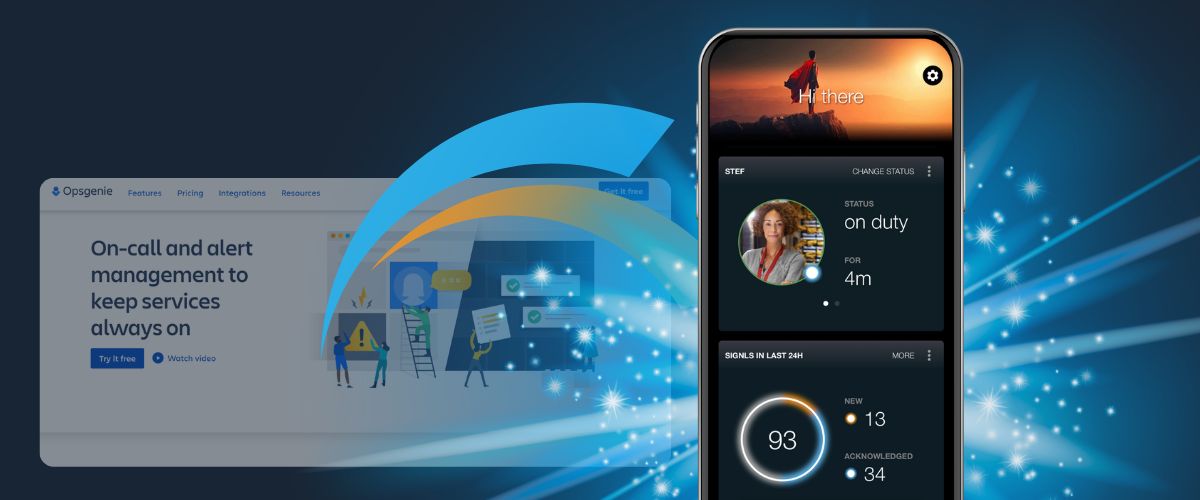
This is where solutions such as SIGNL4 enter the conversation. SIGNL4 focuses on alerting, mobile incident response, and on-call management, offering a straightforward migration path for organizations that need to get the right alerts to the right people at the right time without a larger platform transformation.
There is no universal answer. The right choice depends on your operational goals, technology investments, integration requirements, and long-term strategy.

5. How Will We Reduce Migration Risk?
The biggest risk associated with the Opsgenie retirement is not the deadline itself. The real risk is disrupting business-critical operations during the transition. Every alert, escalation policy, integration, and incident response workflow must function correctly after the move. Successful migrations to new incident management tools require careful testing, clear documentation, user training, and effective change management to ensure user adoption and operational continuity.
Many organizations also run systems in parallel during the transition period. This provides additional confidence that alerts continue reaching the right people while teams become familiar with the new environment. The first time you discover a broken workflow should never be during a production incident.

6. What Does Success Look Like?
Before selecting a replacement platform, define what success actually means. For some organizations, success means faster incident response. For others, it means reducing alert fatigue, improving the on-call experience, or increasing automation. Common goals include:
- Faster incident response times
- Reduced alert fatigue
- Better on-call experiences
- Stronger automation
- Improved visibility into operations
- Better collaboration across engineering teams
Clear success criteria make it easier to compare migration options based on outcomes rather than feature lists.
7. Are We Starting Early Enough for the Opsgenie Retirement Transition?
The organizations that benefit most from the transition are the ones that start before they feel pressure. Migration projects almost always take longer than expected. Integrations need testing, workflows need validation, users need training, and operational processes need refinement.
Starting now gives teams time to:
- Compare migration options
- Validate migration paths
- Test integrations
- Migrate Opsgenie data
- Train users
- Reduce operational risk
With April 2027 approaching, early migration planning provides flexibility, reduces risk, and creates space for better decisions.

Turning Opsgenie Retirement Into an Opportunity
The Opsgenie retirement is creating urgency for IT operations and engineering teams around the world. At the same time, it presents an opportunity to reassess how incident management is handled across the organization. Rather than simply replacing one tool with another, many teams are using the transition to streamline workflows, improve call management, strengthen incident response processes, and reduce operational complexity. The organizations that approach the migration strategically will not just replace Opsgenie. They will emerge with a stronger and more resilient operational framework.