




TL;DR: Incident response is the lifecycle you manage when something breaks: triage, containment, resolution, post-incident review. On-call management is the scheduling and delivery layer that guarantees a live responder owns the alert in the first place. Teams that treat the two layers as interchangeable lose both speed and accountability. MTTA improves when alerts break through a silenced phone and keep escalating until a human acknowledges them, not when the response playbook gets better. One platform can cover both disciplines if the live rotation drives routing and every acknowledgment lands in an audit-ready incident record.
Your monitoring tool detected the fault at 2 a.m. The on-call engineer never saw it. The incident response process never started. That gap between detection and acknowledgment is where most incident response timelines break, and it happens because teams conflate two distinct disciplines: incident response, which owns the what and why of a critical event, and on-call management, which owns the who and when.
Defining the incident response process
Incident response is the structured lifecycle a team follows from detection through resolution and post-incident review. It is a defined sequence of phases, and the discipline applied at each one shapes how quickly and cleanly an organization recovers from a disruption.
The current NIST guidance is SP 800-61 Rev. 3, published in April 2025. The four-phase lifecycle most operations teams still run comes from Rev. 2: Preparation, Detection and Analysis, Containment/Eradication/Recovery, and Post-Incident Activity.
Escalation policies exist because an alert still needs a human to see it: they keep notifying engineers, team leads, or incident commanders until someone acknowledges the issue. That gap between generated and seen is where on-call management enters.
Key phases of incident resolution
The NIST SP 800-61 Rev. 2 lifecycle defines four phases. Many operations teams restructure them into six operational steps by separating triage from detection and treating containment, eradication, and recovery as discrete phases. Preparation drops out of the list because it is ongoing work that happens before and between incidents, not a step in the response sequence:
- Detection: A monitoring tool or human observer identifies an anomaly and passes it to the on-call layer for delivery. Detection feeds the response process, but the process itself starts at acknowledgment.
- Triage: The responder assigns a severity level and an owner.
- Containment: The team isolates the affected system to prevent lateral spread.
- Eradication: Root cause is identified and removed.
- Recovery: Systems return to normal operation, with monitoring to confirm stability.
- Post-incident review: The team documents what happened, what worked, and what needs to change.
These phases typically run in sequence, though containment, eradication, and recovery often overlap in practice. If detection fires but no human acknowledges the alert, triage never happens, and the entire downstream process stalls.
Defining roles in incident response
Incident response assigns roles per incident, not per shift:
| Role | Responsibility | On-Call Mapping |
|---|---|---|
| Incident commander | Owns the incident end to end, makes escalation decisions | Often the on-call manager or senior responder |
| Responder | Executes triage, containment, and recovery actions | The on-call engineer who acknowledged the alert |
| Communications lead | Updates stakeholders and coordinates external communication | May be a separate role or folded into the responder |
| Scribe | Documents timeline, decisions, and actions for the post-incident review | Often the responder or a second on-call team member |
These roles are fluid in smaller teams. One person may hold multiple roles, especially during off-hours when the on-call engineer is the only responder available.
Key MTTA and MTTR performance metrics
Two metrics define the performance of the incident response and on-call layers, and they measure different things:
| Metric | Definition | Owner Discipline |
|---|---|---|
| MTTA | Mean time to acknowledge: average time from alert trigger to human acknowledgment | On-call management |
| MTTR | Mean time to resolve: average time from detection to service restoration | Incident response |
MTTA measures how fast a human sees and owns the alert. A high MTTA usually points to alert fatigue, unclear ownership, or gaps in on-call coverage. MTTR measures the full incident lifecycle from detection to resolution. Because both metrics start when the alert fires, what sits between them is the work itself: triage, containment, eradication, recovery.
Alert fatigue is the MTTA driver that delivery tooling alone does not fix. When engineers receive a high volume of low-severity or false positive notifications, they start ignoring the channel, and critical alerts get lost in the noise. The countermeasures:
- Tune alert thresholds and remove rules that fire without requiring action.
- Deduplicate repeated notifications for the same underlying condition.
- Enforce severity hygiene so only actionable events page the on-call responder.
- Group related events into one actionable alert instead of a flood of parallel notifications.
MTTA belongs to the on-call layer. If your MTTA is high because alerts route to a static contact list instead of the current shift schedule, no amount of incident response process improvement will fix it.
Defining on-call management for IT ops
On-call management is the scheduling, routing, and delivery layer that guarantees a live responder receives and acknowledges a critical alert. It answers a simple operational question: who is actually on shift right now, and how do we reach them?
Teams run this layer with anything from a shared spreadsheet to dedicated on-call software. The difference shows up at 2 a.m.: manual approaches make delivery, escalation, and acknowledgment tracking slow and error-prone, so the rest of this article describes the software layer.
It also helps to separate on-call management from alerting. Monitoring tools detect problems and generate events. Alerting is the decision layer that turns an event into a notification for a person. On-call management is the response layer on top: it decides who owns the event, delivers it persistently, and confirms a human took ownership.
Incident response work begins only after a human has seen the alert, and generating an alert is no guarantee anyone sees it. On-call management closes that gap by handling shift coverage, alert delivery, escalation, and acknowledgment tracking, and it hands off to the incident process at acknowledgment. It steps back in whenever an alert goes unacknowledged: the escalation chain keeps moving the alert up until someone takes ownership.
Alert routing and escalation chains
Alert routing must reference the current shift schedule, not a static contact list last updated three months ago. When routing logic points to stale data, the first link in the escalation chain breaks every time someone is off-duty or on vacation.
Escalation chains work like a pre-defined backup protocol. The primary on-call responder receives the alert. If they do not acknowledge within a defined window (typically 5 to 15 minutes, depending on your severity thresholds and SLA targets), the alert automatically escalates to the next tier: backup engineer, then escalation manager. No manual intervention required.
Solving coverage gaps in shift planning
The most common coverage gap is an alert landing on a technician who went off-shift 20 minutes ago. Recurring rotations solve the baseline problem. Ad-hoc overrides handle the exceptions: someone calls in sick, a team member swaps shifts, a holiday requires adjusted coverage. The workflow for ad-hoc substitutions without breaking the escalation chain:
- Update the shift schedule with the substitution, effective immediately.
- Verify that alert routing now references the updated schedule.
- Confirm the substitute has acknowledged a test alert or verified their notification settings.
Shift handoffs are the highest-risk moment for coverage gaps. The outgoing responder must confirm that the incoming responder has acknowledged the handoff and is ready to receive alerts.
Verifying incident receipt and response
Acknowledgment is the confirmation signal that a human saw the alert and took ownership. Email and chat notifications offer no acknowledgment signal. An alert can sit in an inbox or a Slack channel for hours with no visibility into whether anyone saw it.
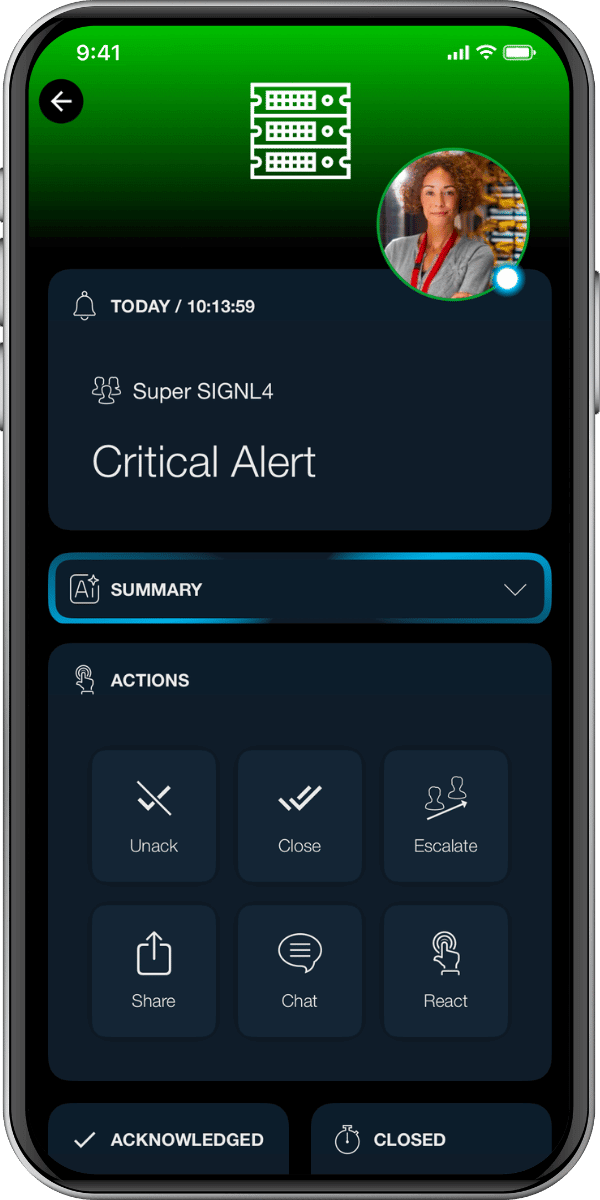
Timestamped acknowledgment records provide the audit trail foundation. When an incident closes, the record shows who was notified, when they acknowledged, and what action they took. This is the difference between reconstructing an incident timeline from chat logs and pulling a timestamped report.
Incident response vs on-call: scope and ownership
The core difference between incident response vs on-call is the scope of ownership. Incident response owns the incident: the triage decision, the containment strategy, the resolution, the post-incident review. On-call management owns the alert: the delivery, the acknowledgment, the escalation, the handoff. The handoff point is acknowledgment. On-call management ends when a human confirms they have seen the alert and taken ownership. Incident response begins at that moment, with the triage decision that determines whether the alert escalates to full incident status.
| Dimension | Incident Response | On-Call Management |
|---|---|---|
| Scope | Lifecycle from detection to resolution and post-incident review | Scheduling, routing, delivery, and acknowledgment |
| Owner | Incident commander, with responders assigned per incident | On-call responder on the current shift |
| Primary metric | MTTR | MTTA |
| Tooling focus | Incident timeline, collaboration, post-incident review documentation | Shift schedules, escalation chains, mobile delivery |
| Handoff point | Begins at acknowledgment, when triage escalates the alert to incident status | Ends at acknowledgment, when the on-call responder takes ownership of the alert |
Teams that conflate these two disciplines end up with tooling that is strong at one and weak at the other. A platform that routes alerts well but lacks incident context leaves responders without the information they need to triage. A platform that manages incidents well but cannot guarantee delivery to the right person at 2 a.m. leaves the front door open.
Triggering the incident response process
Acknowledgment is the handoff point defined above: once a human has taken ownership, triage begins. Not every acknowledged alert becomes an incident. Triage determines escalation to incident status based on severity, scope, and business impact, and a low-severity alert may be resolved by the responder without ever entering the formal incident process.
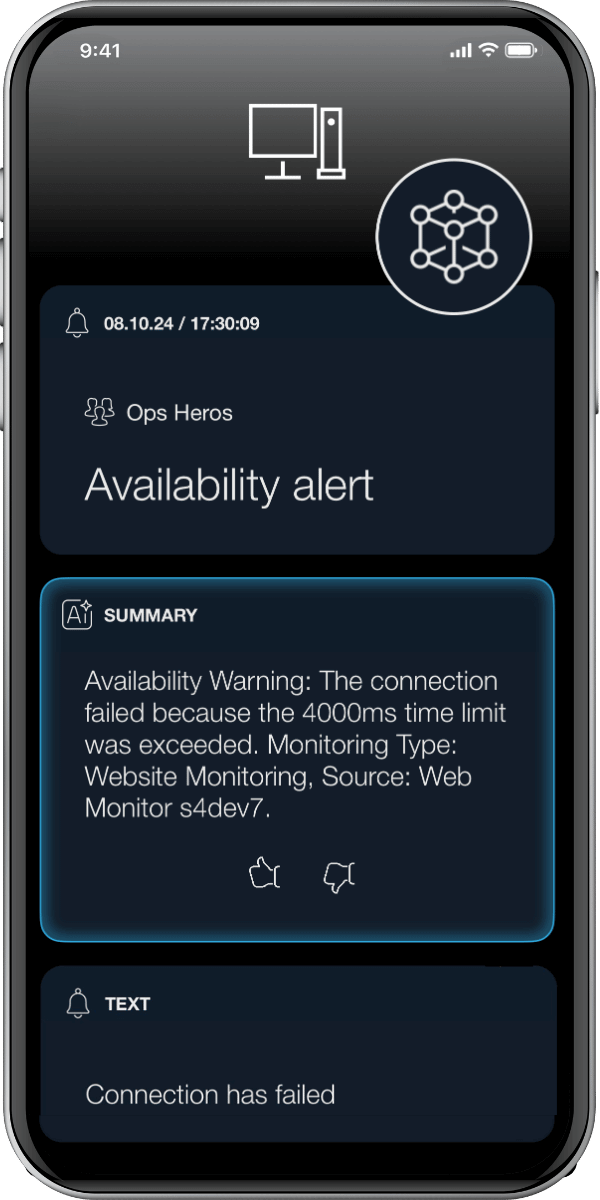
The on-call layer must deliver enough context for that triage decision. An alert that says “Server CPU high” is less actionable than an alert that includes the server name, the current CPU percentage, the threshold, and the last three related events. That context arrives with the alert itself: the integration between the source system and the on-call layer carries the event payload, the alerting platform enriches each event before delivery, and the mobile alert renders the full detail at acknowledgment, so the responder can triage without opening a dashboard. Where the payload is thin, logical-condition rules can pull additional fields from the third-party event data, and AI-generated summaries can explain the failure and its source. Rich alert context reduces triage time and improves the quality of the incident response process.
Handing off from on-call to business as usual
The handoff from on-call responder to the incident response team or back to business-as-usual depends on severity and scope. A low-severity alert may be resolved by the on-call engineer without escalating to incident status. A high-severity event may require activating the full incident response process with designated roles and a formal post-incident review.
Shift handoff mid-incident is the highest-risk transition. The outgoing responder must transfer context: what has been tried, what the current state is, what the next steps are. The incident record must survive the handoff. If the timeline is trapped in one person’s memory or chat history, the incoming responder starts from zero.
Bridging response and on-call duties
One platform can handle both disciplines, but only if it links shift-aware routing to acknowledgment tracking and audit-ready incident records. At the acknowledgment handoff defined above, delivery timestamps, escalation activity, and the acknowledgment record give the incident process an auditable starting point.
SIGNL4 covers both layers. For on-call management, it handles duty scheduling, alert delivery, and automated escalation, with per-alert acknowledgment tracking that feeds timestamped records into an incident timeline. For incident response, it provides incident timelines that track notifications, acknowledgments, actions, and resolution steps, cross-team collaboration tools, anywhere remediation from mobile devices, and automated post-duty reports. It works as the response layer on top of your ITSM or SIEM platform: work-queue management such as tickets and problem records stays in that platform, and SIGNL4 connects to it through two-way integrations, with ownership and annotations synced back so records stay current.
That link matters because the alerting tool, the incident platform, and the ticketing system often each reference a different schedule, so routing decisions rest on stale data. Ticket status updates in your IT service management (ITSM) tool flow back to SIGNL4, so the on-call responder sees the current ticket state without switching tools. As of October 2026, the Notify & Connect plan includes acknowledgment tracking at $9/user/month annual, and the Optimize plan adds duty scheduling and automated escalation at $15/user/month annual.
Tooling requirements: triage vs. rotation
Incident response and on-call management need different things from software. Triage tooling focuses on incident timelines, collaboration channels, and post-incident review documentation. Rotation tooling focuses on schedules, escalation chains, and mobile delivery.
| Requirement | Incident Response Need | On-Call Management Need |
|---|---|---|
| Scheduling | Not applicable | Recurring rotations, ad-hoc overrides |
| Alert delivery | Assumes alert already reached a human | Persistent push, SMS, voice, mute override |
| Escalation | Pulls in additional responders or stakeholders as severity grows | Timeout-based automated failover from primary to backup to manager |
| Acknowledgment tracking | Timestamped record for incident timeline | Confirmation signal that a human saw the alert |
| Incident timeline | Core requirement for post-incident review | Handoff data from acknowledgment to incident status |
| Post-incident review | Template-driven documentation | Post-shift reports capturing what happened during the shift |
Automating on-call schedules and alerts
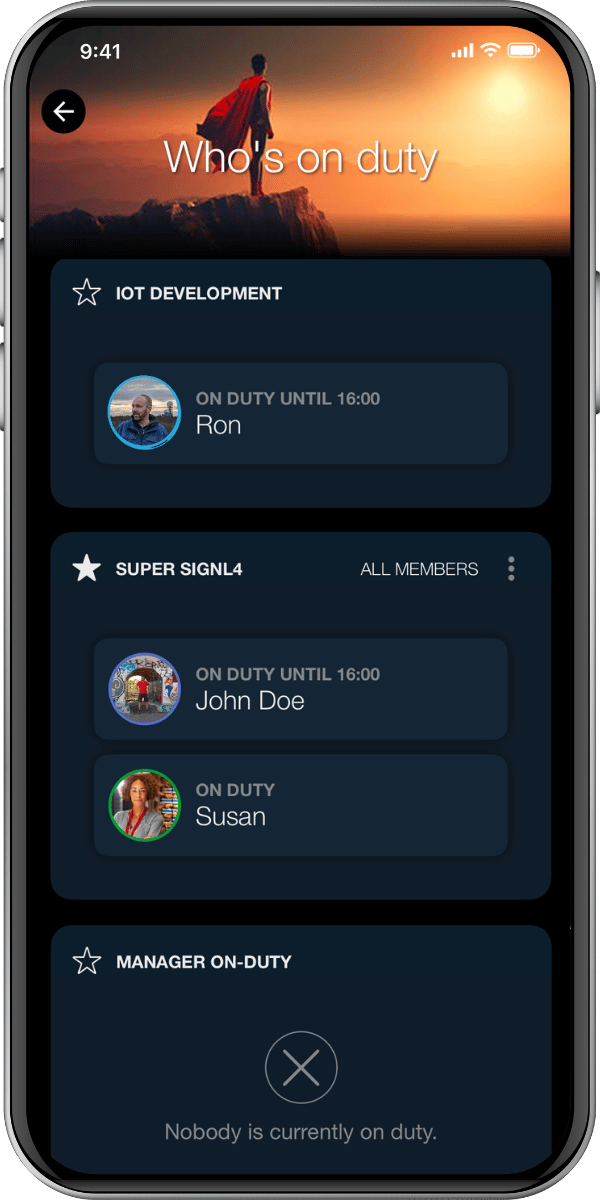
Automation removes the manual spreadsheet error source. SIGNL4 duty scheduling ties alert routing directly to the current shift schedule, so alerts follow who is actually on shift, not whoever was last added to a list.
Linking observability to on-call actions
Monitoring tools detect problems. On-call tools deliver alerts to humans. The integration between the two determines how fast and how reliably that handoff happens.
Webhook-based integrations are generic and flexible. The monitoring tool fires a webhook with its own event payload, the on-call platform parses it, and the alert routes to the current on-call responder. The source system keeps its own schema, so the integration work is parsing that payload, and the receiving endpoint needs monitoring so delivery failures surface quickly. Because nothing on the source side has to change, logical-condition rules can read the original payload fields directly, which keeps setup light in high-volume environments.
Native API integrations are purpose-built for a specific tool pair. The monitoring tool and the on-call platform communicate directly, with defined field mappings and error handling. Alert context and severity come through exactly as configured.
SIGNL4 connects to Zabbix, PRTG, Checkmk, Icinga, ServiceNow, Microsoft Sentinel, and 200+ other tools via native integration where available, with webhook, email, and REST API for everything else. Where a native connector exists, the difference shows up in alert delivery reliability and the completeness of the alert context that reaches the responder.
Escalation paths: roles and responsibilities
The biggest fear in on-call management is an escalation chain that silently fails. The primary on-call person is unreachable. The backup is never notified. No one knows until the incident review.
Functional escalation routes the alert to another responder. Hierarchical escalation routes the alert to a manager. Both must fire automatically when the acknowledgment window expires.
Defining escalation paths for managers
Managers configure escalation tiers: primary responder, backup engineer, escalation manager. Each tier has a timeout threshold. If the primary does not acknowledge within 5 minutes, the alert escalates to the backup. If the backup does not acknowledge within another 5 minutes, the alert escalates to the manager. Thresholds should match operational targets, not arbitrary defaults. If your service level agreement (SLA) requires acknowledgment within 10 minutes, the escalation chain must fire fast enough to meet that target even if the primary is unreachable.
Matching alerts to the right responders
Routing must consider shift schedule, skill set, and severity. A database alert at 2 a.m. should route to the on-call database administrator (DBA), not the network engineer. A critical security alert from the security information and event management (SIEM) system should route to the SOC analyst on duty, not the general IT ops queue.
SIGNL4 launched AI-powered event routing in October 2026 to reduce manual triage time. The system classifies incoming events and routes them to the correct on-call team based on the content and context of each event and the capabilities of the available teams, reducing misrouted alerts and the manual reassignment work they create.
Operationalizing escalation procedures
Escalation procedures are only as good as the schedule data they reference. The workflow for keeping escalation chains functional:
- Define escalation tiers with clear ownership at each level.
- Set timeout thresholds that match operational targets.
- Test the chain after every team change or schedule update.
- Review escalation logs weekly to identify patterns of unacknowledged alerts.
If the escalation log shows repeated escalations from primary to backup, the schedule data is wrong or the primary responder’s notification settings are broken.
Linking on-call workflows to MTTA gains
MTTA measures how fast a human acknowledges the alert. MTTA gains come from the on-call layer, not the incident response process.
The decision matrix for manual vs automated escalation chains shows the operational impact:
| Escalation Type | MTTA Impact | MTTR Impact | Failure Mode |
|---|---|---|---|
| Manual (phone tree, email) | High: 15-45 minutes typical | High: delayed acknowledgment delays entire response | Primary unreachable, no automatic failover |
| Automated (escalation chain) | Low: 2-5 minutes typical | Lower: faster acknowledgment starts response sooner | Schedule data stale, routing to wrong person |
The actual improvement depends on your current delivery channel and escalation timeouts. Treat the ranges in the table above as directional rather than industry benchmarks, and validate the gain against your own acknowledgment logs before and after automating.
Ensuring alert delivery via mute override
A phone on silent at 3 a.m. means the alert disappears. Email and chat notifications do not bypass Do Not Disturb. If the on-call engineer’s phone is silenced, the alert is functionally lost until they check their device.
Persistent push, SMS, and voice delivery can still reach a silenced phone, but only through specific OS-level mechanisms. On iOS, Critical Alerts are a special notification class that overrides the mute switch and Do Not Disturb settings. They require an Apple-granted entitlement for the app in addition to explicit user permission, so ordinary push notifications and SMS messages do not bypass a silenced device on their own. On Android, high-priority notification channels achieve the same result, but only when the user grants the app permission to bypass Do Not Disturb.
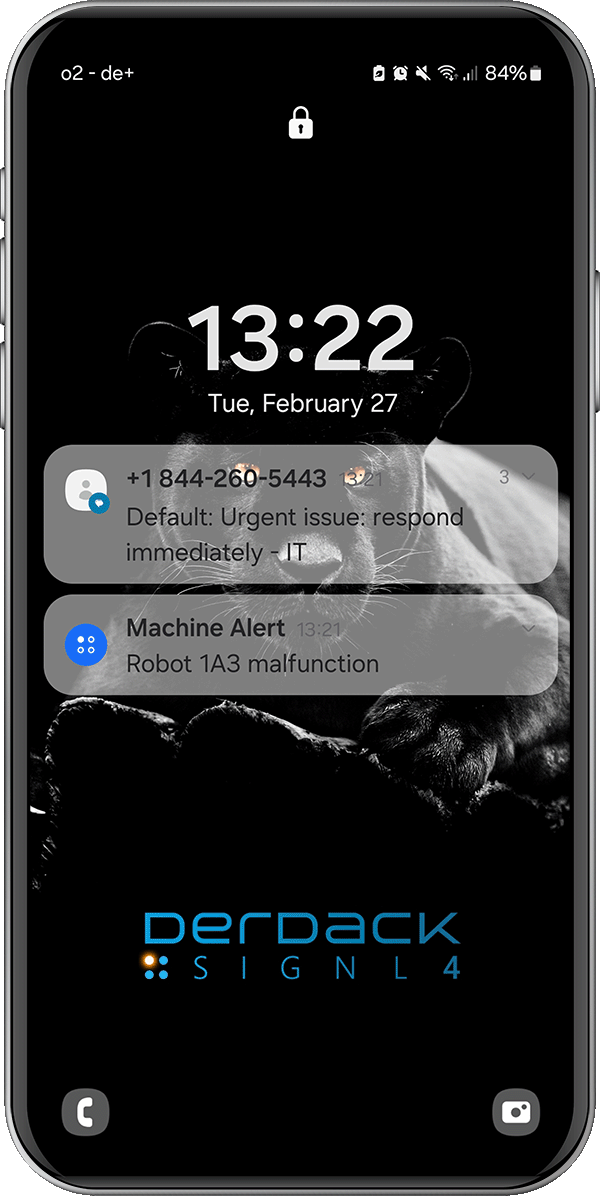
The SIGNL4 mobile app uses these OS-level mechanisms. The app is rated 4.4/5 on Google Play and 4.5/5 on the App Store.
Configuring failover when alerts go dark
The primary responder does not acknowledge within the window. Automated failover routes the alert to the backup responder, then to the escalation manager, with no manual intervention required. A failover that fires only when a human notices the missed acknowledgment is not a failover at all, since it reintroduces the same human dependency the chain exists to remove.
The escalation chain must reference the current shift schedule. If the backup contact was updated in the scheduling spreadsheet but not in the alerting tool, the failover routes to the wrong person.
Automating handoffs for faster MTTA
When the 7 a.m. shift starts, alert routing switches to the incoming responder from the live duty schedule, so no one updates a contact list by hand.
Audit trails for incident response
Regulated environments require timestamped acknowledgment logs for compliance audits. The audit trail must show who was notified, when they acknowledged, what action they took, and when the incident closed:
- Who was notified (name, role, notification channel)
- When they were notified (timestamp)
- When they acknowledged (timestamp)
- What action they took (escalated, resolved, handed off)
- When the incident closed (timestamp)
One platform can provide this audit trail when per-alert acknowledgment tracking comes built in: SIGNL4 includes it from the Notify & Connect plan, and the Maximize plan adds system and configuration audit logs with custom data retention. The compliance posture covers ISO/IEC 27001:2022, TISAX, and GDPR, with documentation available in the Trust Center.
Start a free 30-day trial with full Maximize plan features, no credit card required. Test shift-aware routing, automated escalation, and acknowledgment tracking against your actual alert scenarios before committing.
FAQs
Is on-call management part of incident response?
Yes. On-call management is the scheduling and delivery layer inside incident response: it ensures a live responder receives the alert, acknowledges it, and escalates automatically when nobody does. Incident response is the broader discipline that starts at acknowledgment and runs through resolution and post-incident review. The two layers have different owners, metrics, and tooling requirements, but they are parts of one response process, not competing disciplines.
What happens if an on-call alert is never acknowledged?
The alert escalates automatically to the next tier after a defined timeout window. If no tier acknowledges, the alert remains unowned, which is a coverage gap that should trigger a review of the escalation chain and schedule data.
Can one tool handle both incident response and on-call?
Yes, if the tool links shift-aware routing to acknowledgment tracking and incident timelines. SIGNL4 handles on-call scheduling, alert delivery, and escalation, and it feeds timestamped acknowledgment records into incident response workflows through two-way ITSM connectors.
How do SOC teams use on-call management differently than IT ops?
SOC teams route security alerts from SIEM and endpoint detection and response (EDR) tools to on-call analysts, often with stricter escalation thresholds and compliance requirements. IT ops teams focus on infrastructure monitoring alerts and shift coverage. Both need persistent delivery and acknowledgment tracking.
Key terms glossary
MTTA: Mean time to acknowledge. Average time from alert trigger to human acknowledgment. Measures on-call layer performance.
MTTR: Mean time to resolve. Average time from incident detection to service restoration. Measures incident response lifecycle performance.
Escalation chain: Pre-defined sequence of responders (primary, backup, manager) who receive an alert if the previous tier does not acknowledge within a defined window.
Acknowledgment: Confirmation signal that a human saw the alert and took ownership. Timestamped for audit trail purposes.
Shift handoff: Transition of on-call responsibility from outgoing to incoming responder, requiring acknowledgment and context transfer.
Coverage gap: Period when no responder is assigned or reachable, typically caused by stale schedule data or routing to off-duty contacts.
Mute override: Mobile OS mechanism that allows critical alerts to bypass Do Not Disturb and silent mode, ensuring delivery even when the device is silenced.
Functional escalation: Routing an alert to another responder with the appropriate skill set or authority.
Hierarchical escalation: Routing an alert to a manager or senior responder when lower tiers do not acknowledge.
Alert fatigue: Desensitization to alerts caused by high volume of low-severity or false positive notifications, leading to delayed or missed acknowledgments of critical events.
