

This October, SIGNL4 is taking a big leap forward! One of our most comprehensive updates yet introduces AI-powered event routing, powerful new analytics to identify alert hotspots and trends, and instant visibility into on-call coverage gaps.
Add smarter team and workflow management, plus enhanced security and compliance features, and there’s plenty to explore!
AI-Powered Event Routing: The Right Alert. The Right Team. Automatically.
A major step forward in intelligent alerting automation.
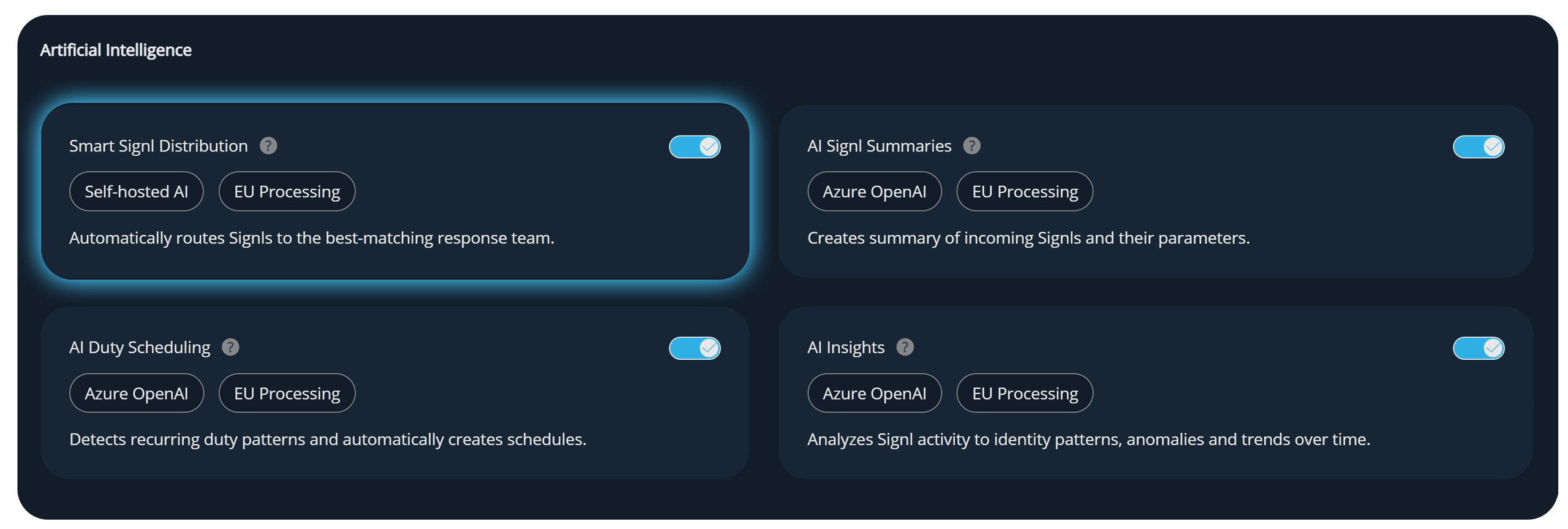
SIGNL4 now offers AI-powered event routing, a new way to automatically direct incoming events from third-party systems to the right on-call team and trigger an alert.
As an intelligent alternative to rule-based routing, AI-powered event routing eliminates the need to manually configure routing rules and workflows for every scenario. SIGNL4 uses AI to identify the appropriate team, making alerting setup significantly faster, easier, and more scalable.
The result: Less manual configuration, smarter event routing, and faster time to value — while maintaining the flexibility of traditional rule-based alerting.
Security remains a top priority: The AI model is fully self-hosted within SIGNL4’s infrastructure, ensuring that your data never leaves the SIGNL4 environment.
Brand-New Dashboard: Spot Alert Spikes, Identify Trends, and Track Response Times
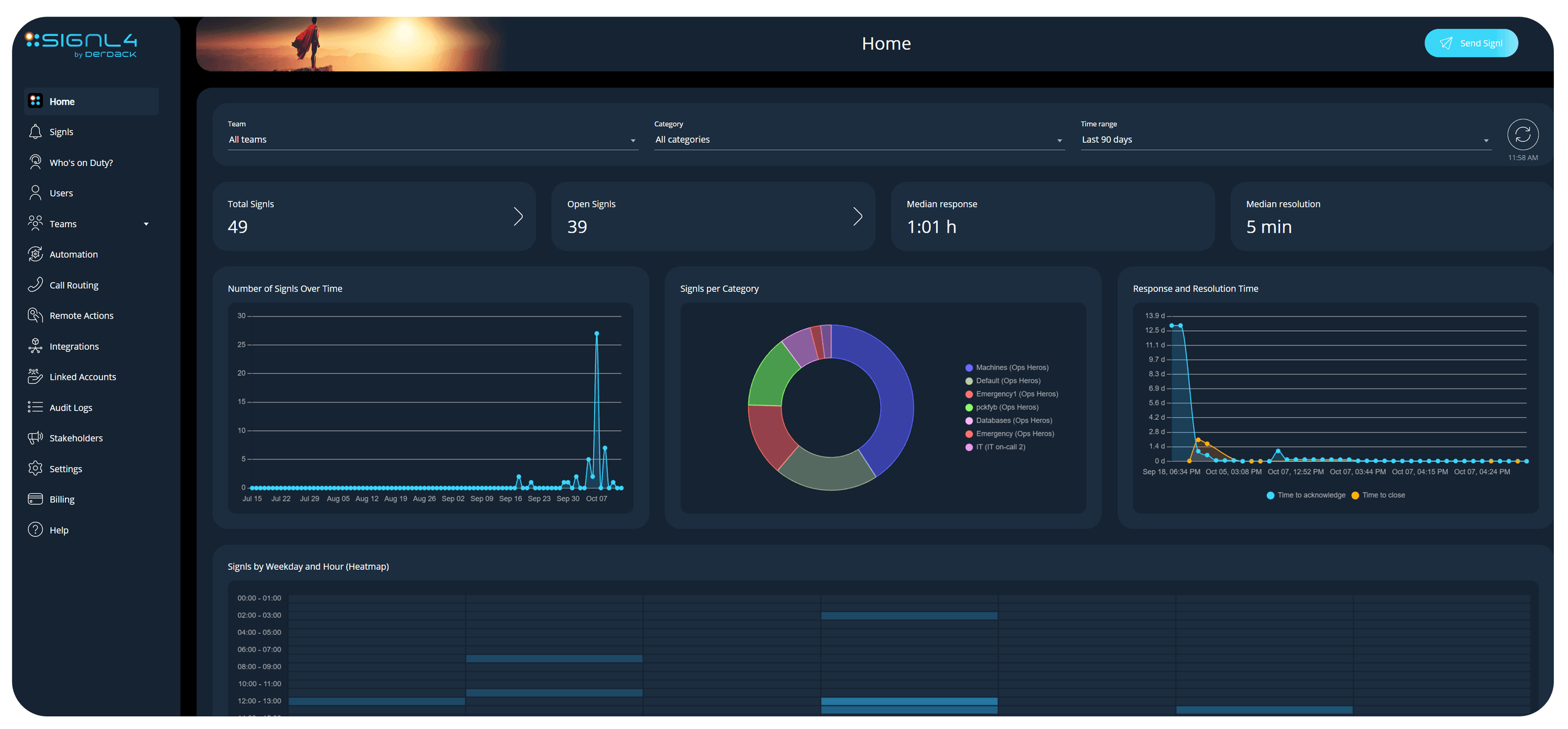
The new SIGNL4 home dashboard gives you an at-a-glance view of your incident activity. See which incidents occur most frequently with a visual breakdown by alert category and use the weekly heatmap to identify when alerts spike and which days and times are busiest.
You can also track response times over time and jump directly into the Signl Center whenever you want to take a closer look.
Simplified Team Management: Spot On-Call Coverage Gaps Instantly
Managing teams just got easier. The redesigned team management interface provides a cleaner, more intuitive overview and lets you edit teams directly without switching between screens.
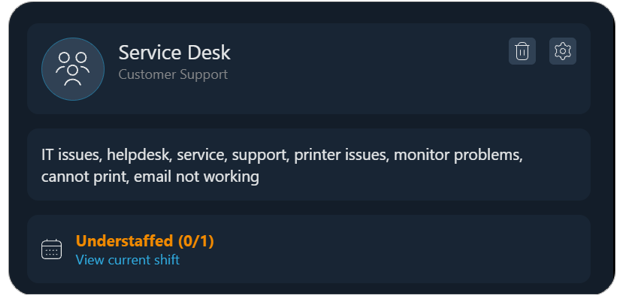
See at a glance whether your teams’ on-call schedules are fully covered or have coverage gaps. Member and workflow counts, along with a new search feature, help you stay organized, even when managing a large number of teams.
Delegated Workflow Management: Sharing Integrations with Teams
Give your departments more control over their own alerting processes. Administrators can now make integrations available to selected teams, allowing them to independently create workflows and decide which incoming events should trigger alerts and how.
The underlying third-party integration remains centrally managed by the SIGNL4 administrator. This combines centralized integration governance with greater flexibility and autonomy for individual teams.
Team Descriptions: Easier Identification of the Right On-Call Team
Not sure which on-call team handles a particular issue? New team descriptions make it easier to find the right contact.
You can now add a short description of each team’s responsibilities in the team management interface. Depending on the team’s publishing settings, this information is also displayed in the on-call duty overview, helping colleagues and other users quickly identify the right team for their needs.
Emergency Templates for Incidents: Support for Media Attachments
Signl templates now support more than just text or a map with the incident location. You can attach images, videos, and audio files to provide recipients with additional information alongside an alert.
This is particularly useful in emergency situations, where evacuation plans, assembly point maps, or illustrated repair instructions can make a real difference. Your responders receive the information they need directly with the Signl.
Security: Support for Multi-Factor Authentication
Add another layer of protection to your SIGNL4 account. Users with native SIGNL4 accounts can now enable email-based multi-factor authentication. After entering their password, they receive a one-time verification code at their registered email address.
Each user can activate this feature in their personal profile. Administrators can also check the user overview to see which accounts have enabled two-factor authentication.
Voice Call Notifications: New Protection Against Alert Overload
When multiple incidents occur at once, repeated voice call notifications can quickly become overwhelming. A new protection mechanism now limits the number of calls a phone number can receive within defined time intervals.
This prevents users from being flooded with calls in rapid succession.
Compliance: Support for Intune App Protection Policies for Secure BYOD Usage
Carrying two smartphones just because you’re on call? There’s now a better option. With the integration of the Microsoft Intune SDK, SIGNL4 supports protecting corporate data at the app level rather than requiring management of the entire device.
IT departments can define security policies for the SIGNL4 app that take effect when employees sign in with their corporate accounts, even on personally owned smartphones. Corporate information stays protected without giving IT administrators control over the employee’s private device.
The result: Greater flexibility for on-call employees while maintaining the security standards organizations need.
We wish you happy exploring 🙂
