




It’s Friday afternoon. Two employees have requested time off. Someone calls in sick. Another wants to swap shifts. Then you realize the only certified technician scheduled for the night shift is also marked as being on vacation.
What looked like a perfectly organized spreadsheet this morning can quickly turn into a puzzle. As organizations grow, scheduling gets more complex. Managers need to balance availability, labor costs, overtime, certifications, shift preferences, and changing demand – all while handling last-minute changes.
Is Excel Still Good for Employee Shift Scheduling?
Excel can still work for simple employee shift scheduling, but it quickly reaches its limits as teams and scheduling complexity grow. If creating a work schedule takes hours or managing availability, shift swaps, overtime, and multiple locations requires constant manual updates, it may be time for a more automated scheduling system.

10 Signs You’ve Outgrown Spreadsheets for Employee Shift Scheduling
Here are 10 signs that your organization has outgrown spreadsheet-based scheduling.
1. Creating Employee Work Schedules Takes Hours Every Week
If managers spend several hours building schedules from scratch, valuable time is being lost on repetitive administrative work instead of higher-value activities.
2. You’re Constantly Updating Published Work Schedules
A schedule should be a plan – not a document that changes dozens of times each week. Frequent edits often indicate that employee availability, staffing needs, or scheduling processes aren’t being managed efficiently.
3. Employee Shift Swaps Require Manual Coordination
When employees rely on phone calls, text messages, or emails to exchange shifts, managers quickly become bottlenecks. Modern employee scheduling software allows approved shift swaps while maintaining scheduling rules and visibility.
4. Managing Employee Availability Is Getting Harder
Vacation requests, sick leave, training sessions, and changing work preferences are part of everyday operations. Without centralized availability data, managers often schedule employees who aren’t actually available.
5. Tracking Work Hours and Overtime Is Becoming Difficult
Small scheduling decisions can gradually increase labor costs. Without clear visibility into employee hours, overtime often becomes apparent only after payroll has been processed.
6. Multiple Spreadsheets Are Managing Different Teams
Using separate schedules for departments or locations creates duplicate work and makes workforce planning far more complicated than necessary.
7. Scheduling Errors and Shift Coverage Problems Are Increasing
Double bookings, uncovered shifts, forgotten certifications, and missed staffing requirements become more common as schedules become more complex. Even small errors can have significant operational consequences.
8. Shift Planning Across Multiple Locations Is Becoming Difficult
Businesses operating across multiple sites or time zones need consistent scheduling processes and real-time visibility that spreadsheets simply weren’t designed to provide.
9. Managers Spend More Time on Scheduling Than Leading
Instead of coaching employees or improving operations, managers become full-time schedule coordinators. Automation helps shift that balance back toward leadership.
10. Last-Minute Employee Shift Changes Create Chaos
Unexpected absences are inevitable. How quickly your organization adapts often determines whether customers notice the disruption – or never realize there was a problem.
If you recognize several of these signs, it doesn’t necessarily mean your scheduling process is broken. It simply means your organization has reached a level of complexity where manual tools are no longer the most efficient solution.
When Should You Switch to Employee Shift Scheduling Software?
The right time to switch is when the complexity of your shift scheduling process starts costing more time and effort than your spreadsheet saves. As your workforce grows, employee shift scheduling software can automate repetitive tasks, improve shift coverage, reduce scheduling errors, and give managers better visibility into employee availability and work hours.
What Are the Benefits of Employee Scheduling Software Over Excel?
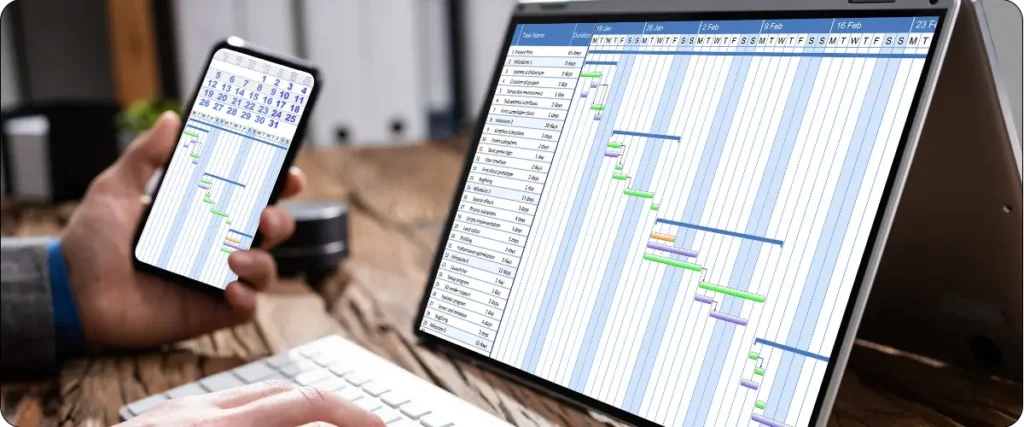
Employee scheduling software goes beyond spreadsheets by combining automated shift planning, centralized employee data, real-time availability, scheduling rules, and qualification management.
Instead of manually assigning employee shifts, managers define staffing requirements, availability, labor policies, qualifications, and operational hours. The scheduling system can then generate schedules based on these rules and adapt when requirements change.
This reduces repetitive administrative work, improves productivity, and helps managers make better staffing decisions. Research published in the European Journal of Operational Research also shows how optimization and decision-support systems can improve resource allocation and scheduling consistency in complex workforce environments.
In other words, shift scheduling software doesn’t replace managerial expertise — it helps managers apply it more effectively.
What Should You Look for in Shift Scheduling Software?
When moving beyond spreadsheets, look for software that does more than create a digital work schedule. The right employee shift scheduling software should make planning faster, reduce manual coordination, and help managers respond to changes.
Key features to look for include:
- Automated shift planning based on availability, staffing needs, skills, and scheduling rules
- Employee availability management to keep time off and preferences up to date
- Shift swaps and open shift management to improve shift coverage
- Work hours and overtime visibility to help control labor costs
- Skills and qualification management to ensure the right staff are scheduled
- Multi-location scheduling for organizations managing teams across different sites
- Real-time updates and notifications to keep employees informed when schedules change
When Spreadsheets Are No Longer Enough
Spreadsheets are a practical starting point for shift scheduling, but they weren’t designed to manage a growing workforce, changing availability, complex scheduling rules, and last-minute disruptions.
The right shift scheduling software doesn’t just replace Excel. It helps managers spend less time maintaining schedules and more time making better staffing decisions. If spreadsheets are creating more work than they save, it may be time to take the next step.
