February 2020 Update: Legacy Pager Support, Scheduler User Role, Improved Duty Report and Microsoft Teams Bot

Feb 4, 2020 | General, Updates

Our first SIGNL4 release tin 2020  includes some great new features. Have a look:

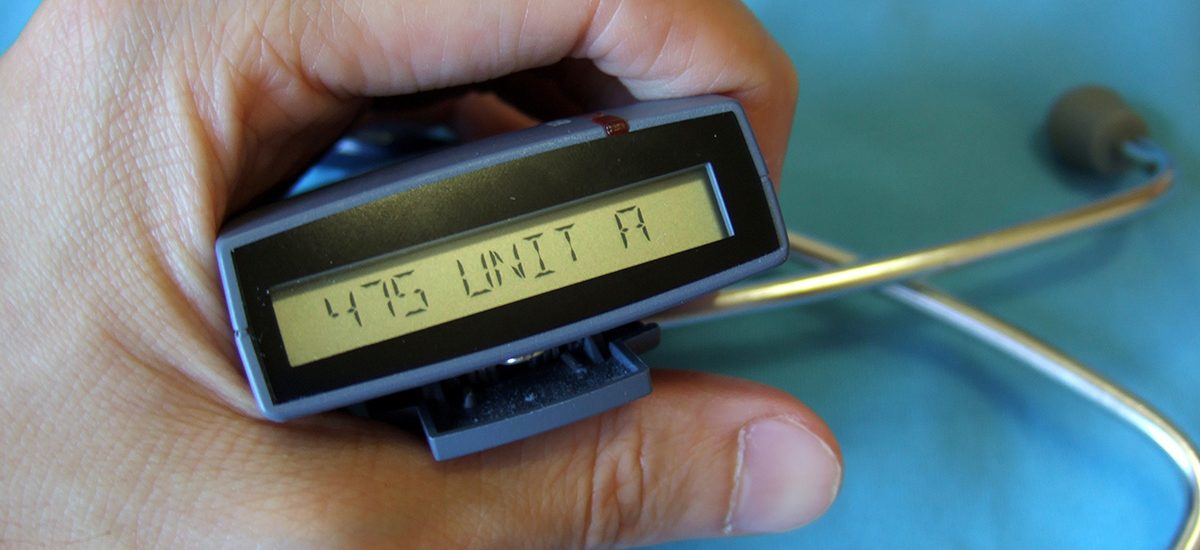
Notify your Legacy Pager

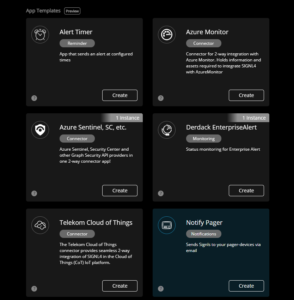
For all those who still need to work with pager devices in addition to their smartphone, it is now possible to include this device in the alarm workflow. This might be the case to secure alert delivery even in areas with poor cell coverage. Legcy pager support is provided through a new app we have added to the SIGNL4 app gallery. This apps sends an email to a paging gateway.  This support of email to pager is mandatory for the app to function.

Our app supports two modes: Either all signls alerts for the team are sent to the pager or only those that have not been acknowledged by the team members on duty and escalated to the manager. The connection is done via email, details are available in the SIGNL4 account portal. The SIGNL4 pager extension app is available in all commercial subscription plans.
New User Role: Scheduler

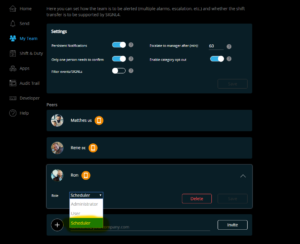
We found that enabling only admins to manage and schedule shifts and duties was somewhat limited and not ideal. That is why we are introducing a new user role, called “Scheduler”. This user role has the same privileges as a normal ‘User’ but can on top create and edit duty schedules for your team. This role is also allowed to download CSV shift reports. Please, note that a ‘Scheduler’ is not enabled to change duty schedule settings, e.g. duty length, handover time. This is exclusive to the ‘admin’ role.
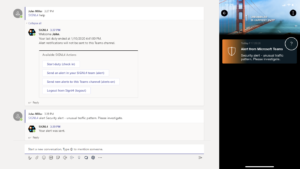
Microsoft Teams Bot – Notify a Teams Channel upon new Signls

We have built a Microsoft Teams Bot for SIGNL4 and it has justed passed the certification. The Teams Bot will link your SIGNL4 team with Microsoft Teams and enables a whole set of features to notify teams from SIGNL4 and to execute SIGNL4 functions from Microsoft Teams.

The Bot is linked to your SIGNL4 account (after you sign in to SIGNL4 from the Bot) and then sends notifications from your SIGNL4 team to your channels, which includes

  • Notifications about new Signls in your team
  • Notifications when Signls are confirmed, annotated, or closed by someone on your SIGNL4 team

On the other hand, the SIGNL4 bot allows you to

  • Go on or off duty
  • Trigger new Signls in your SIGNL4 team from any team channel or via personal messages
  • Acknowledge or close a Signl in SIGNL4

The bot can be easily added to Microsoft Teams from the App gallery, just search for SIGNL4 there. After it has been added to the appropriate channels, it can simply be mentioned with “@SIGNL”. The SIGNL4 bot will then prompt you to login to SIGNL4. It will then display available commands, e.g. if it is simply mentioned again. Have fun exploring!
 

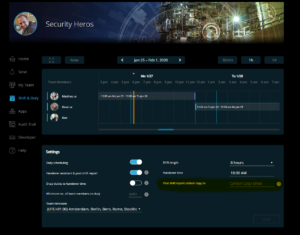
Enhanced Duty Report: Support for CC Destinations

Post-shift reports can now be sent to another, fixed mailbox by having SIGNL4 sending a carbon copy email. Usually, SIGNL4 selects the destinations of the post shift report dynamically from the staff going on and off duty. Now, you can send all post-shift reports to one fixed mailbox.
Discover SIGNL4

Dashboard of SIGNL4's mobile Alerting App

Stay ahead of critical incidents with SIGNL4 and its superpowers. SIGNL4 provides superior and automated mobile alerting, delivers alerts to the right people at the right time and enables operations teams to respond and to manage incidents from anywhere.

Learn more about SIGNL4 and start your free 30-days trial.

    Mobile Alerting and Response for Modern Operations

    Resources

    Feature Overview

    A comprehensive Platform for mobile Alerting for an up to 10x faster Response

    AIOps and AI Alerting

    AI-powered Alerting and Alert & Incident Management

    Reliable Alert Notifications

    Alert Notifications by push, text, voice and email. With Tracking and Escalations

    Mobile Alerting App

    The modern Way of receiving and managing critical Alerts on-the-go

    On-Call Scheduling

    AI-powered Scheduling and Management of On-Call Duties and Shifts

    Call Routing

    Live call routing and a Voice Mailbox for modern after-business Hours Operations

    Active Stakeholder Communication

    Automatically deliver real-time incident updates to your Stakeholders

    Use Cases

    IT Alerting

    Minimize downtime with automated real-time IT alerting

    Incident Management

    Accelerate response, and streamline incident workflows with real-time mobile alerts

    SecOps Alerting

    Respond faster to cyber threats with mobile-first alerting

    Incident Alerting for MSPs

    Turn Detection into Accountable Response

      IoT Service Alerting

      Automatically alert field teams based on real-time IoT signals

      SCADA Alarm Notifications

      Respond faster to machine breakdowns, quality issues, and maintenance calls

      Field Service Alerting

      Automated Mobile Routing of Service Requests and Alerts to Field Teams

      On-Call Management

      Create duty schedules, automate alerts, and route after-hours calls

      Building Automation

      Ensure fast response, fewer disruptions, and better facility management and service

      After-Hours Call Routing

      SIGNL4 automatically routes after-hours calls to on-call staff for fast response and 24/7 coverage

      Emergency Alerting

      Fast, reliable emergency alerts when every second counts

      Alert Management

      Streamline enterprise alerting with a centralized alert hub

      Integrations and APIs

      Integrations Overview

      We have verified and tested 200+ Integrations with 3d Party Products

      EMail (SMTP)

      The fastest and easiest way to connect to SIGNL4.

      Webhook

      SIGNL4’s most popular and flexible integration

      REST API

      Seamlessly integrate services or implement additional features

        Selected Customer Case Studies

        Berlin-Brandenburg Airport, Germany

        Automated Alerts and Mobile Incident Response for Luggage Transportation Systems

        BASF Coatings, Germany

        Automated Transport Dispatching with IoT Buttons and a mobile App for optimized Intralogistics

        RedIron, Canada

        Unifying Alerts and Notifications in mission-critical IT Operations

        BSH Hausgeräte GmbH, Germany

        Keeping production running at 10,000 dishwashers per day

        CSP Lighthouse, Australia

        Reliable 24/7 Alerting for a global Cybersecurity Service Provider

          Swiss Bankers, Switzerland

          Real-Time Fraud Prevention with 24/7 mobile alerting in Financial Services Operation

          Conexus Credit Union, Canada

          Conexus transformed Incident Response in a Single Day with SIGNL4

          exo, Canada

          Exo ensures critical alerts reach the right people, even at night

          Overview of Industries

          Exciting case studies from selected customers in sectors such as logistics, aviation, manufacturing, finance and IT

          About us

          About Derdack & SIGNL4

          Learn more about a Market Leader in mobile Alerting and Anywhere Incident Response for critical Systems

          Partner Program

          Become a SIGNL4 Partner and take Advantage of a well-established and rapidly growing Product

          Newsletter

          Get Updates, exciting Insights, and Customer Stories – Sign up for our Newsletter!

          Glossary

          We explain the most important Terms and Topics in the Field of Alerting and Incident Management

          Blog

          Our blog offers expert insights and practical tips for getting the most out of SIGNL4

            G2 Summer Awards for SIGNL4
            DERDACK SIGNL4
            Privacy Overview

            This website uses cookies so that we can provide you with the best user experience possible. Cookie information is stored in your browser and performs functions such as recognising you when you return to our website and helping our team to understand which sections of the website you find most interesting and useful.