
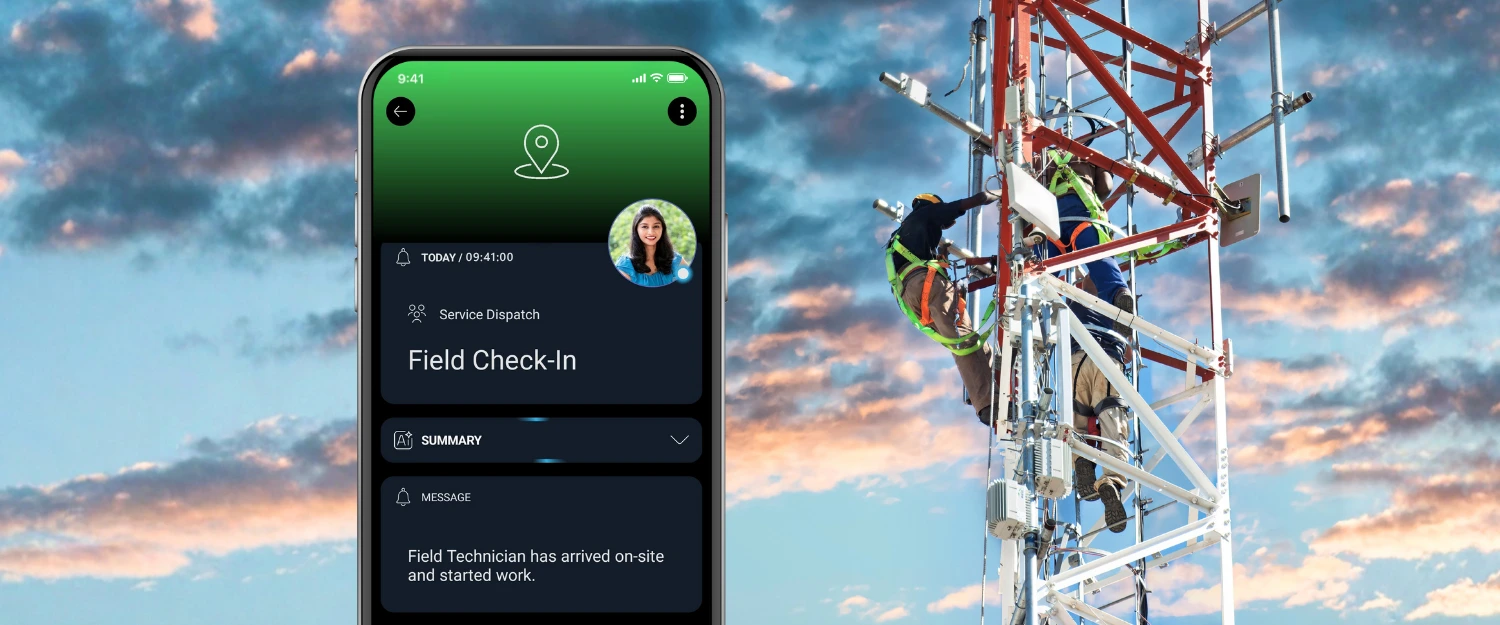
Field service managers need visibility into more than just whether a technician has arrived. They need to know when work begins, when it’s completed, and when the technician is heading to the next job. Without a simple, consistent way to communicate these milestones, dispatchers and supervisors are left making phone calls and sending text messages just to find out what’s happening.
Most of the time, nothing is wrong. The technician is unloading equipment, meeting with the customer, or already working. But every missed status update creates uncertainty, interrupts productivity, and pulls both field and office staff away from more important work.
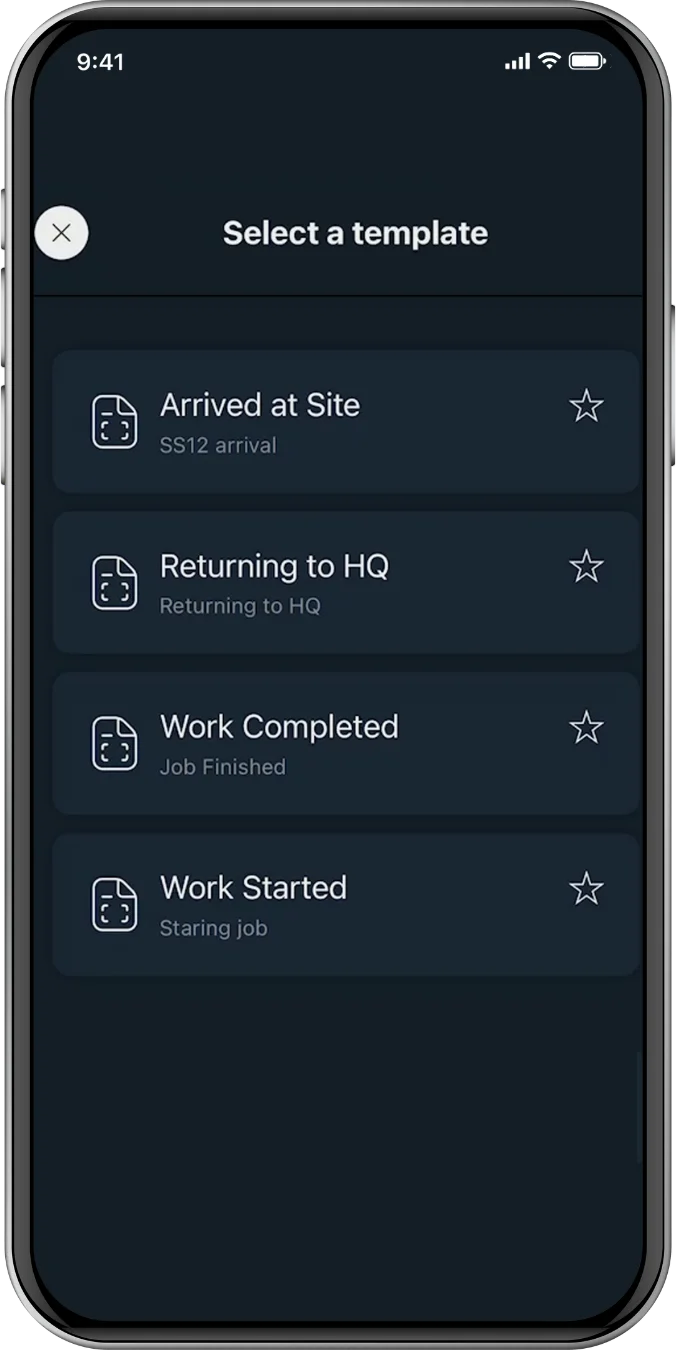
With SIGNL4, technicians can report key milestones with a single tap using predefined notification templates. Instead of deciding who to contact or typing the same message repeatedly, they simply select the appropriate status update and send it.
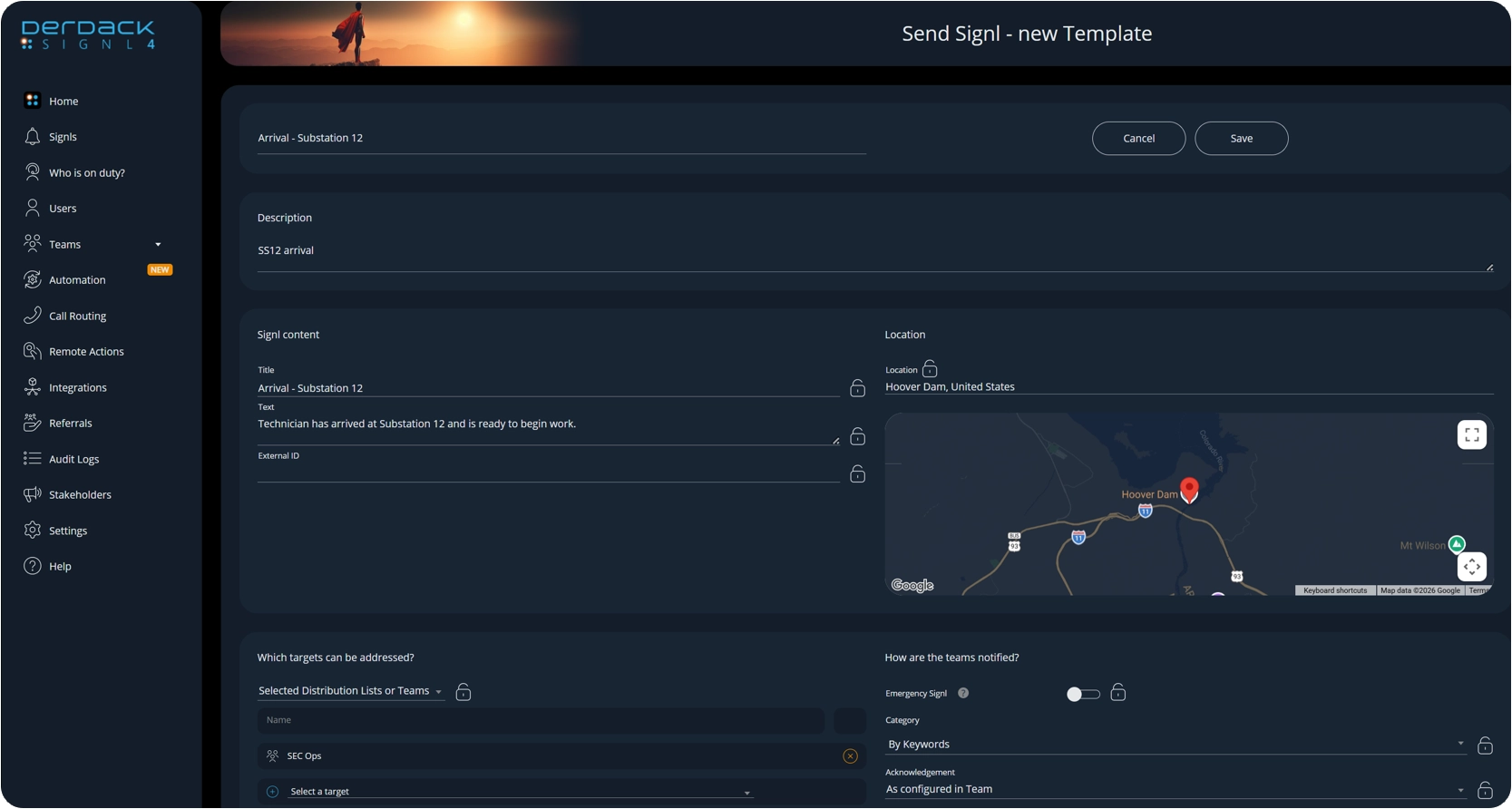
Administrators can create templates for common field service events such as:
- Arrived on site
- Arrived at customer location
- Work started
- Work completed
- Returning to headquarters
Each template already contains the appropriate message, recipients, and optional GPS location, ensuring every update is delivered consistently and immediately. The result is a simple, standardized workflow that keeps dispatchers, supervisors, and operations teams informed throughout the entire job – not just when the technician first arrives.
Deliver the Right Information Automatically
Each template contains the subject, message, and recipients needed for that particular notification.
This ensures every work update is consistent and reaches the appropriate people every time.
Because the recipients are already configured within the template, technicians don’t need to search for contacts or decide who should be informed. The notification is automatically delivered to the correct supervisors, dispatchers, operations center, or other stakeholders.
This not only saves time but also reduces the chance of important notifications being sent to the wrong people – or not being sent at all.
Include GPS Location for Additional Context
Status updates become even more valuable when it includes location information.
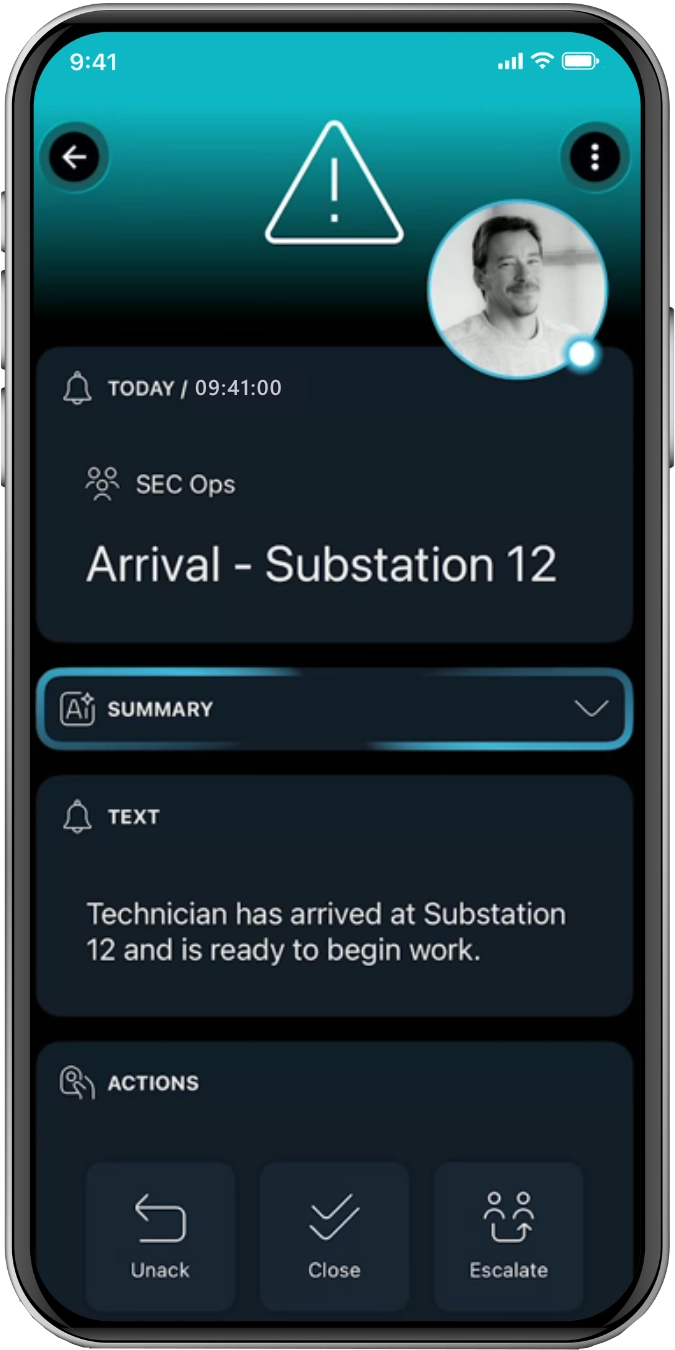
SIGNL4 templates can automatically include GPS location, allowing recipients to immediately see where the technician checked in.
Instead of simply receiving a message stating that someone has arrived, dispatchers can view the technician’s location directly on a map.
Reduce Unnecessary Follow-Up Calls
Every missed check-in creates uncertainty.
Dispatch begins making phone calls.
Supervisors ask for updates.
Technicians are interrupted while preparing to begin work.
By making notifications quick, consistent, and easy to send, organizations can significantly reduce these unnecessary interruptions.
In seconds, notifications provide immediate confirmation that everything is proceeding as expected, allowing everyone to stay focused on their responsibilities.
From the mobile app:
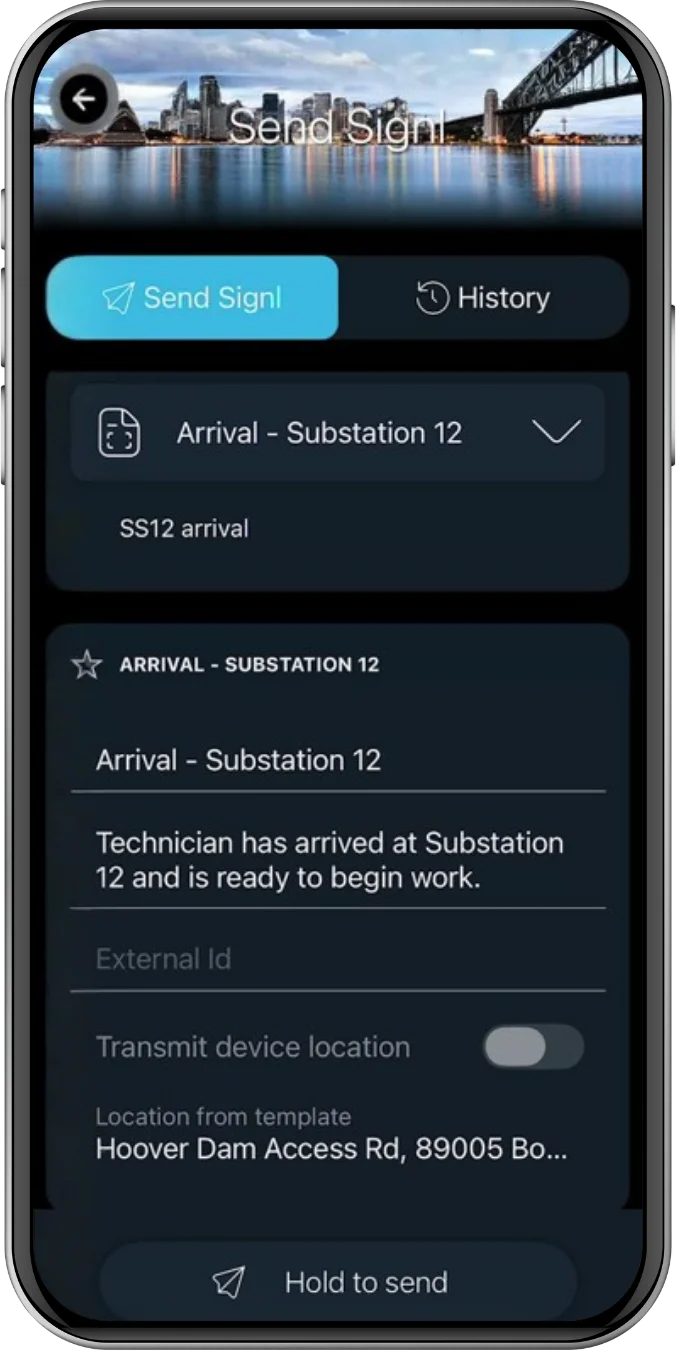
- Users just open the app and select Send Signl
- Select the desired template – these templates can be starred to help prioritize for the technician.
- Hold to send – an alert is immediately raised to the recipients.
Standardize Communication Across Every Job
Predefined templates also help establish a consistent communication process across the organization.
Rather than having each technician write their own messages, every status update follows the same format and contains the same information.
This creates a more predictable workflow for both field personnel and office staff while ensuring important updates are never overlooked.
As operational requirements change, administrators can easily update templates without requiring technicians to learn a new process.
Track Work Progress in Real Time
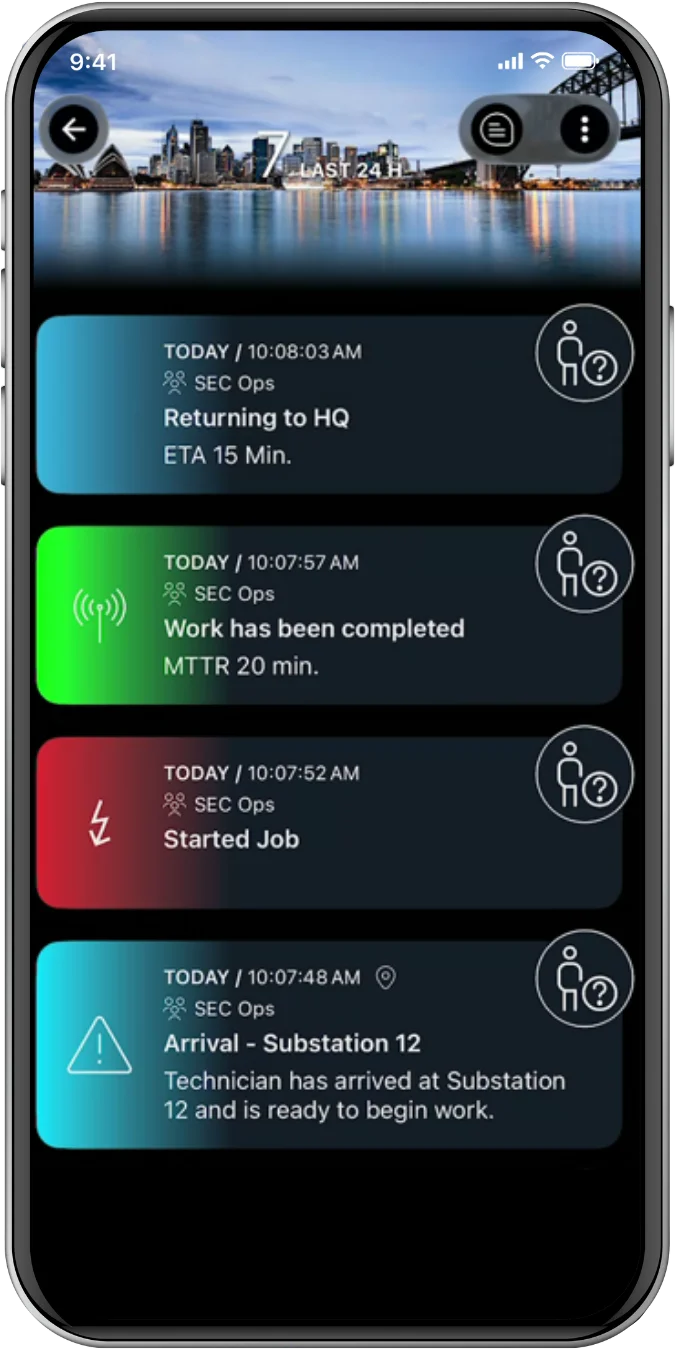
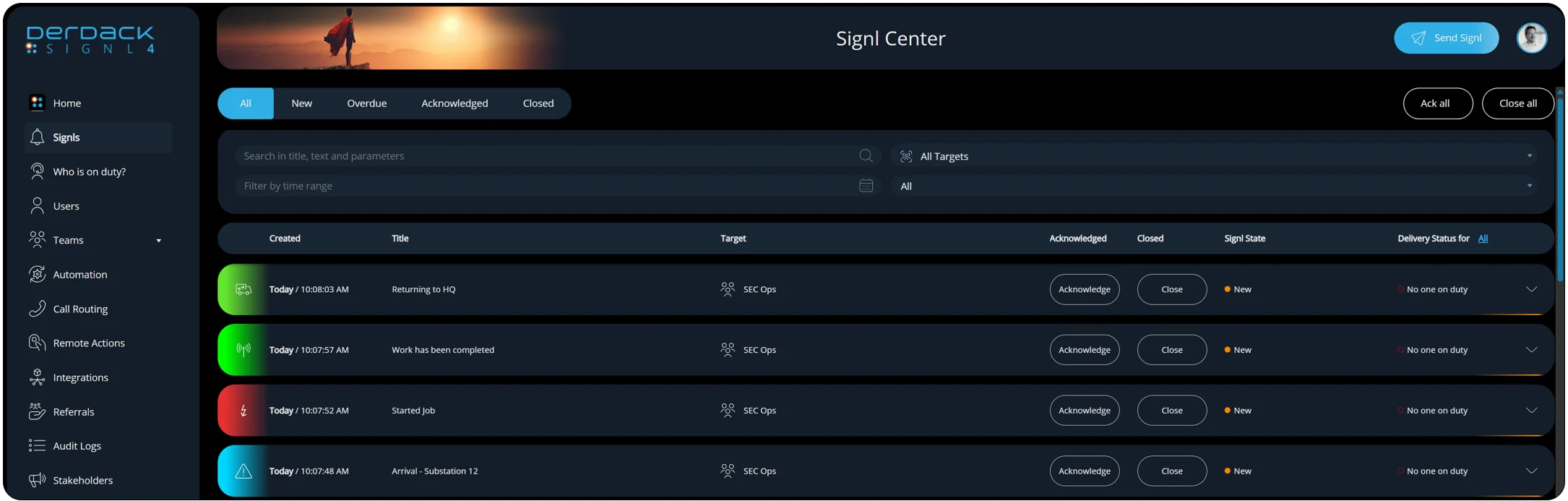
Each notification becomes part of a complete timeline that supervisors and dispatchers can follow.
Rather than wondering whether a technician has arrived, started work, completed the repair, or is returning to headquarters, operations staff can simply view the incoming events in SIGNL4.
This provides immediate visibility into every stage of the job without requiring phone calls or manual status updates. Managers can quickly identify which jobs are in progress, which have been completed, and where technicians are currently working – all from a single view.
Whether viewed in the SIGNL4 mobile app or the Signl Center, every status update contributes to a real-time operational timeline that gives dispatch complete visibility into field activity.
Bringing It All Together
Reliable field operations depend on more than getting technicians to the right location – they depend on having visibility into every stage of the job. From arrival and work start to completion and departure, timely status updates help dispatchers and supervisors know exactly what’s happening in the field.
Replacing manual phone calls and inconsistent text messages with standardized status updates helps eliminate uncertainty, reduce unnecessary follow-up, and improve visibility across field operations.
With predefined templates, automatic recipient selection, and integrated GPS location sharing, SIGNL4 makes it easy for field personnel to report job milestones with a single tap. Dispatchers and supervisors receive the information they need immediately, technicians can stay focused on the work ahead, and everyone benefits from a simple, consistent workflow that keeps field operations moving efficiently.
Field Service Alerting
Learn more about automated mobile routing of service requests and alerts to field teams with SIGNL4.