




Our December update lets it rip once again: From now on, you can create and manage multiple teams in your SIGNL4 subscription. For this purpose, we have also added a new user role and enhanced our web app. This makes it much easier to centrally manage multiple departments in your organization. Creating, setting up and supporting these departments or teams thus becomes a breeze. All details can be found in this blog article.
Innovations in the Web App
As a SIGNL4 administrator, you now have new views and menu structures in the web app. The biggest changes are the following:
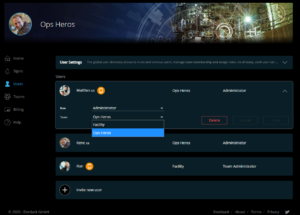
- New menu item “Users”
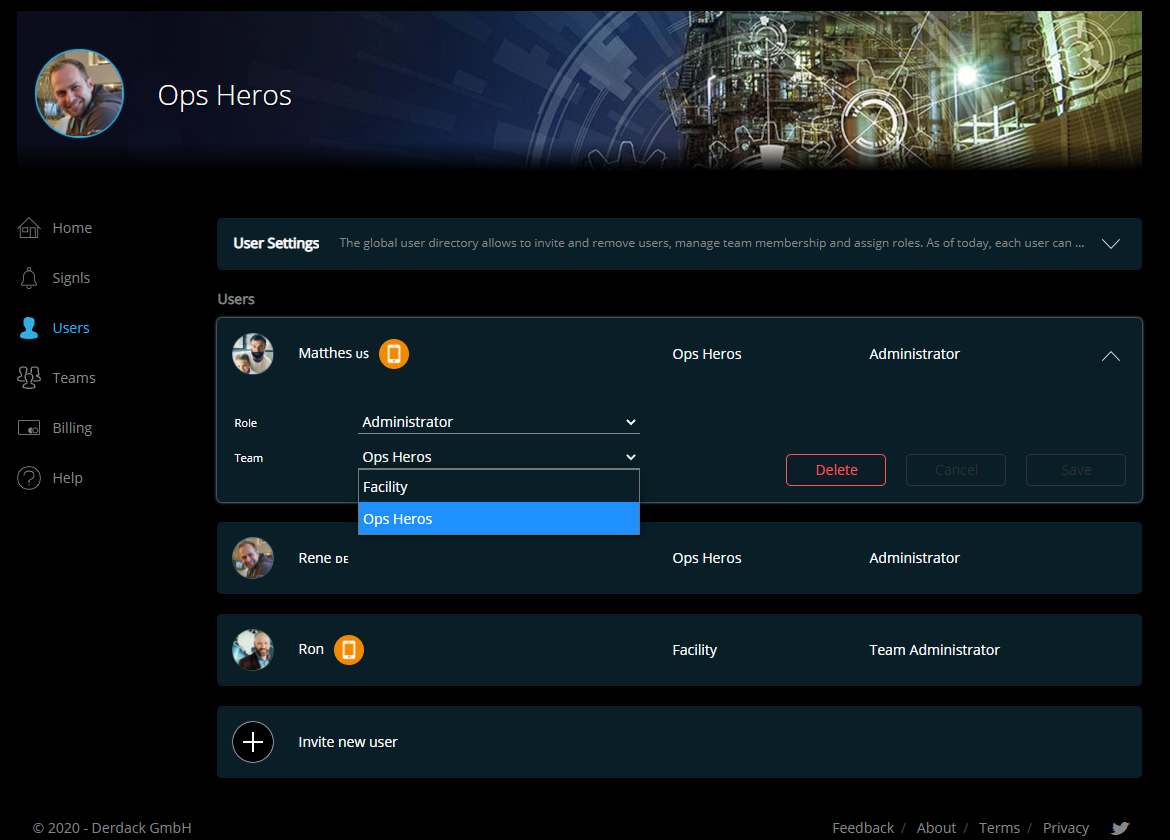
This is your new global user list or directory.See all users in your SIGNL4 subscription including team membership and user role. You can invite new users to SIGNL4 and assign them to a team and user role. As soon as they confirm the email invitation, user provisioning is done. Please note that membership of users in multiple teams is (not yet) possible.
By the way: You can also move a user from one team to another by simply changing the team of the user.
- Team management
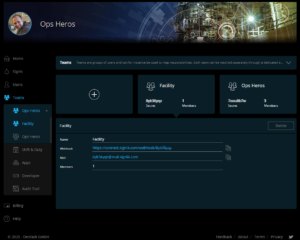
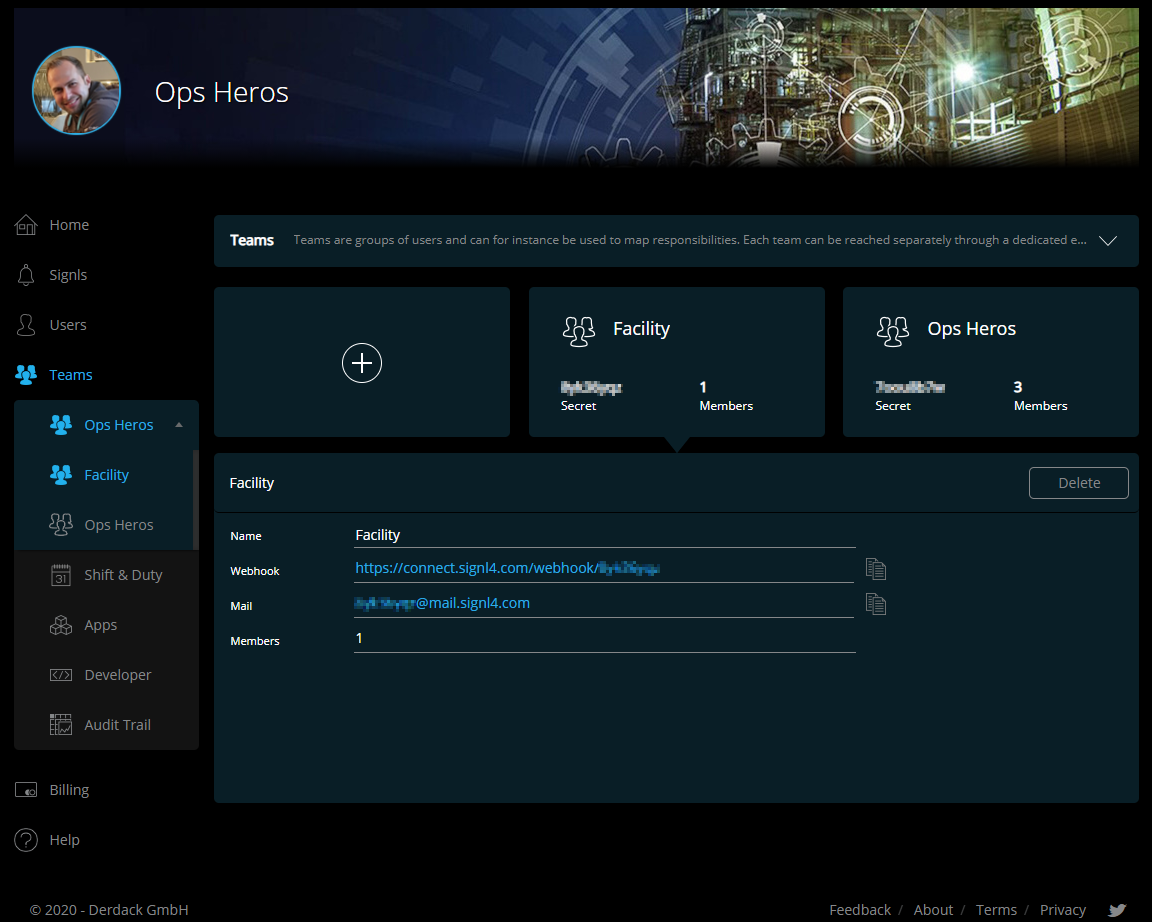
You can now create, manage, and delete teams under the new menu item “Teams”. You will see an overview for team management, and you can select a team from the list to open the team’s settings. This includes, for example, the team calendar, service, and system categories or apps and connectors of the selected team.
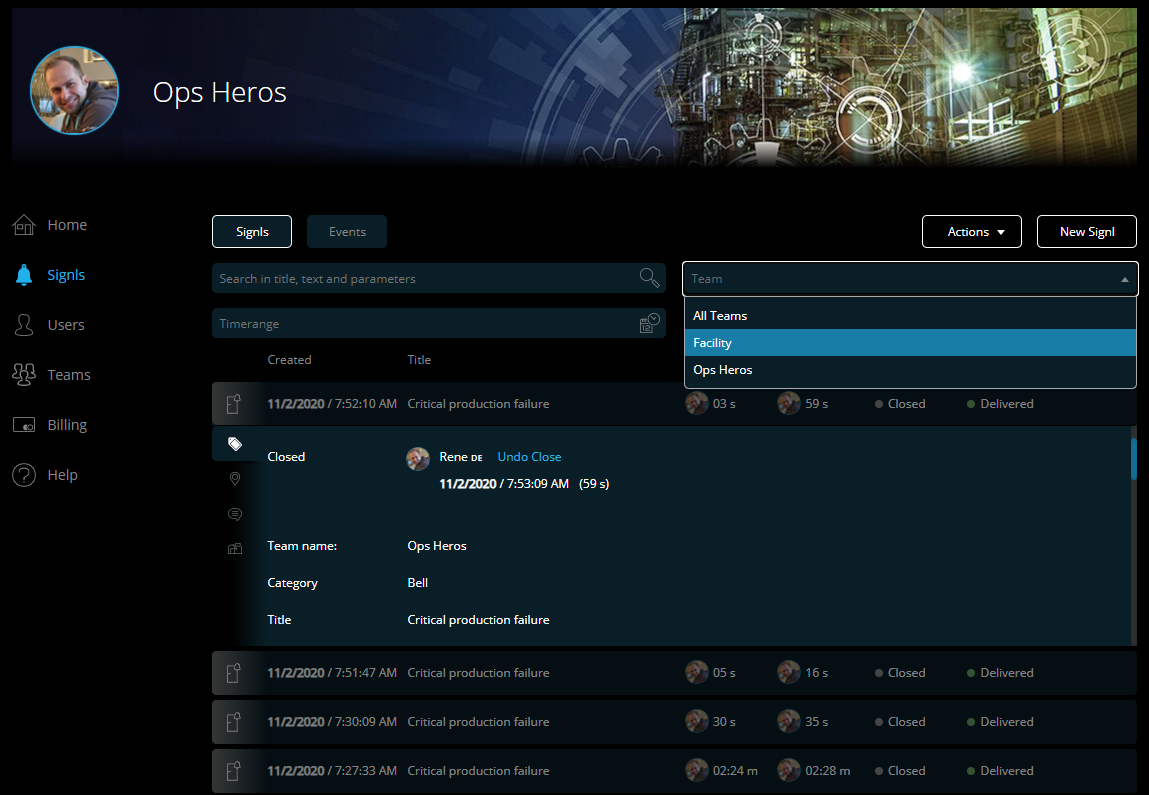
- Signls – New team filter
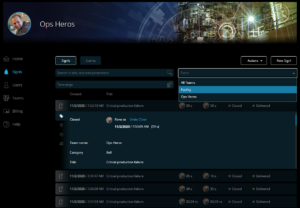
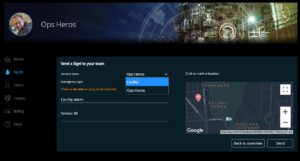
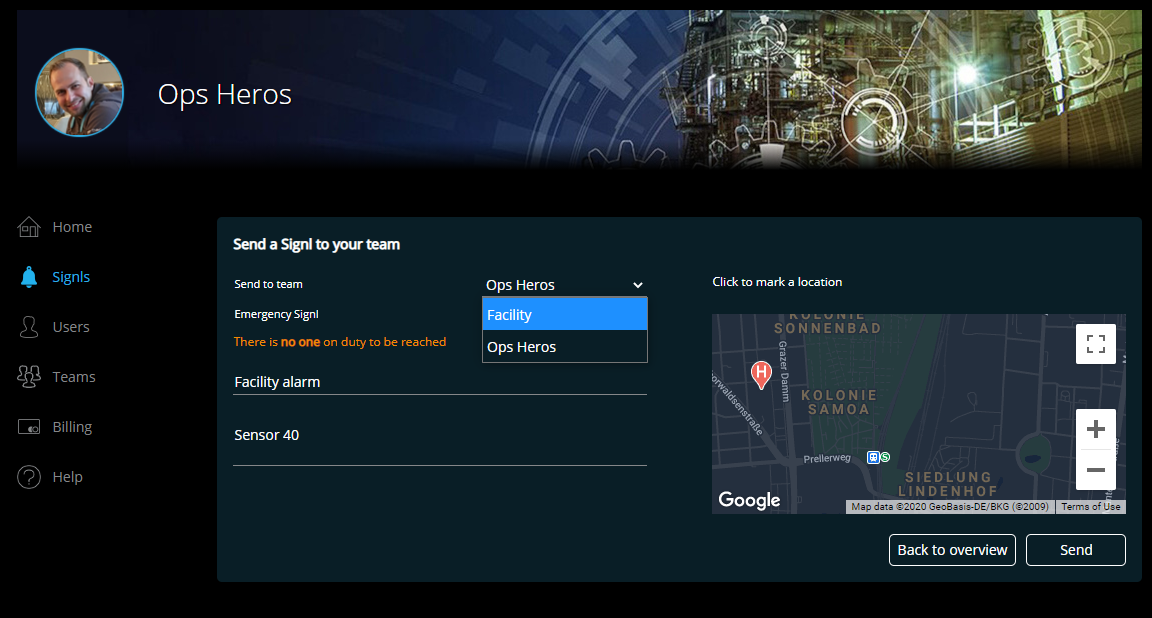
In the Signl overview, SIGNL4 (super) administrators can now filter by team. This way you can directly see all incidents of a specific team or department. A Signl list item now also displays the team the Signl alert belongs to. When you trigger a new Signl in the web app, you can also select there for which team it is generated.
- Billing – Improved license overview
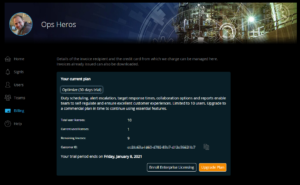
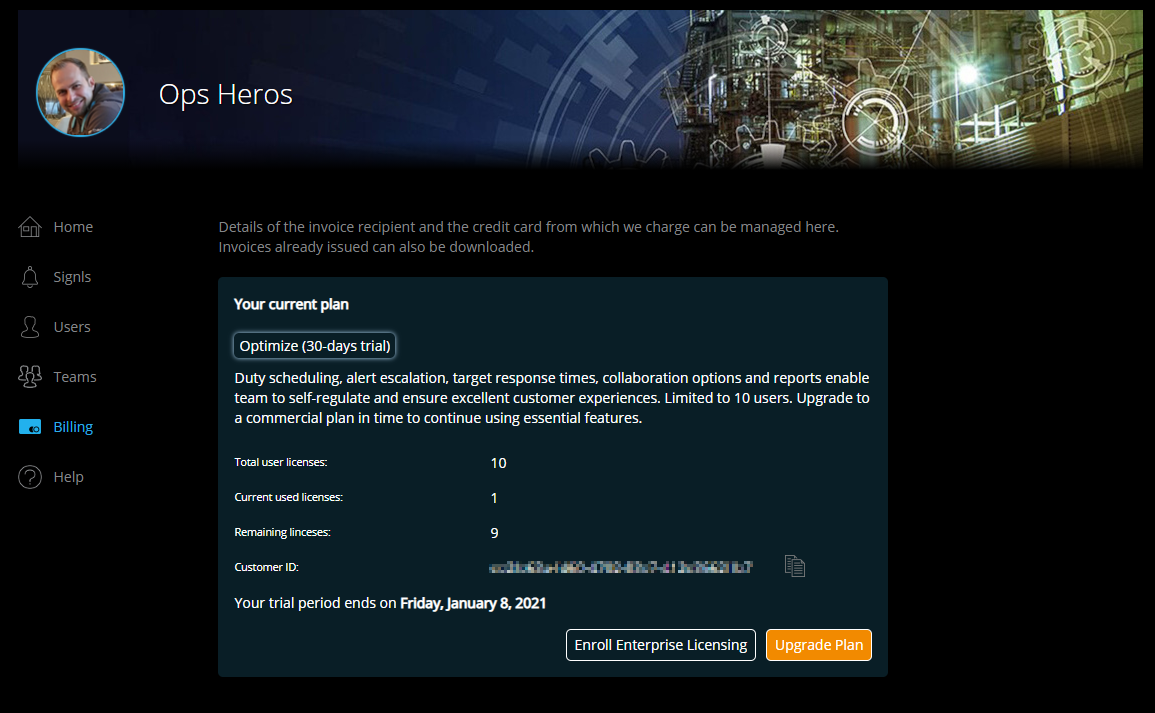
Finally, we have made some minor changes. Most notable is the billing page. Here you can see in a revised view which plan you have licensed and how many user licenses are still available.
Another new feature is a display of your customer number, which will help us, if you ever need our support.
New User role: “Team Administrator”
As the main SIGNL4 administrator, this role is for you to delegate. A team administrator can completely administer his team, i.e. invite or delete new users, for example. He can edit the team calendar and also manage the categories and connect third party systems. He can even issue API keys to his team and thus perform more sophisticated integration work.
A SIGNL4 (super) administrator can also do all these things for all teams. However, it is often advisable to delegate these activities to someone else from the team via the team administrator role, at least after the initial setup.
Team and its characteristics
Finally, let’s take a closer look at the brand new “Team” subject and its characteristics. The basic principle is that each team in your subscription represents a container with users, a duty schedule, 3rd party connections, categories and other team properties. So, this preservers all current teams and their settings and continues the principle that each team is ‘reachable’ through a dedicated webhook and email address.
- Integration in third-party systems
Each team is individually connected to third-party systems. It gets its own SIGNL4 email address and its own webhook. Also all apps for third party integration are to be set up per team. - Team members
Users can currently only belong to one team at a time, so it is not yet possible for users to be on multiple teams. - Incident response
The incident response in the Signl Center in the web app allows SIGNL4 administrators to edit all Signls, regardless of which team they belong to. This includes, for example, acknowledging, closing, or even adding annotations. A SIGNL4 administrator can therefore also modify Signls from teams of which he himself is not a member of. So, he has full control.
What happens to the “old” multi-team management?
You might already be using multiple teams in SIGNL4, through the previous multi-team portal. This portal will persist and will be rebranded as “enterprise licensing” portal. Nothing will change for you if you are already using and continue to use it.
However, please note that we are shifting the focus of this portal a little bit. As we now allow to create multiple teams within a subscription, your previous ‘team’ entities in the old multi-team (now enterprise licensing) portal, have been rebranded as ‘subscription’. Please, note that there is currently no migration path for teams (now ‘subscriptions’) you have created previously, to new teams within a subscription. So, if you have 3 teams (now subscriptions), you cannot consolidate them into one subscription by somehow ‘moving’ them. If possible, we recommend recreating them. Please, contact us if you have any special request.
Enterprise Licensing
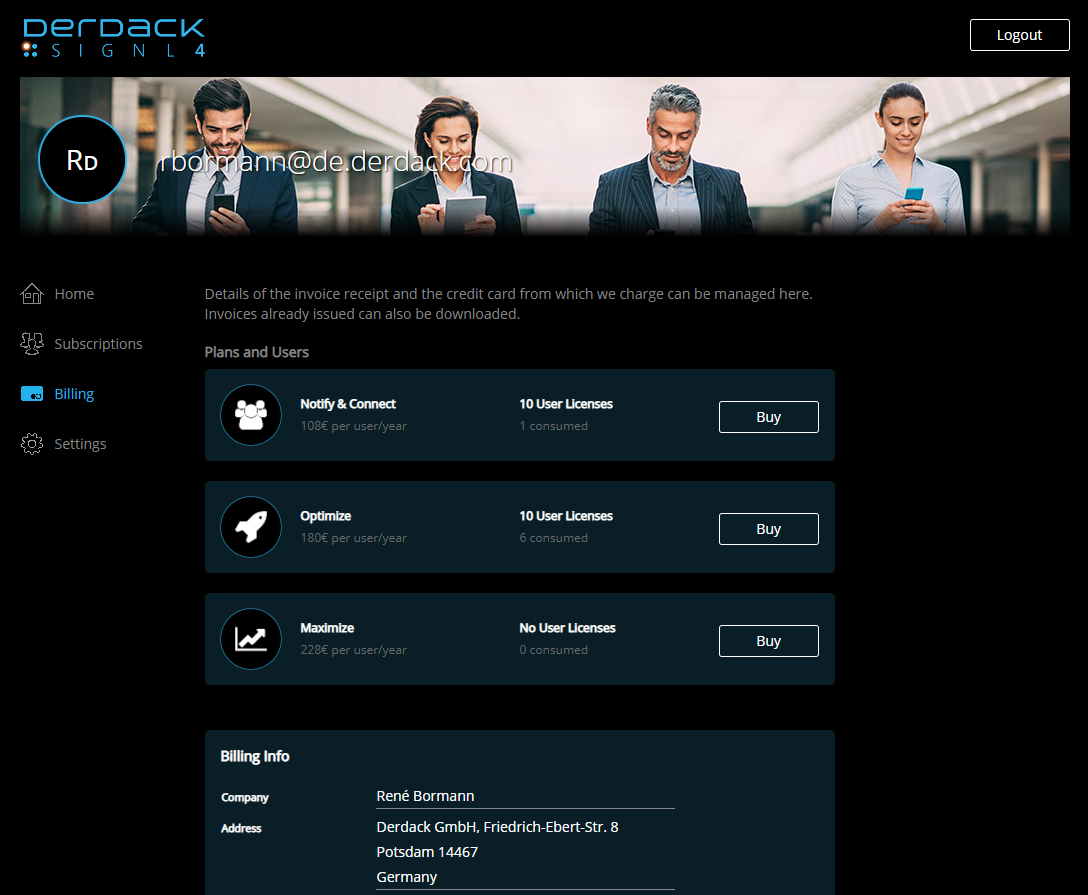
You can at any time enroll to ‘enterprise licensing’ (former ‘multi-team management portal’), if you need to:
- Have subscriptions on different paid plans
- Centrally purchase and manage user subscription licenses
- Receive consolidated invoices across multiple subscriptions
- Pay by wired transfer (this payment method requires a grant by our team)
Have fun and enjoy exploring all the new features! Contact us with any questions you might have through the chat or by email.
⚕ Stay healthy and already Merry Christmas 🎅
