
How to Convert Email to Push Notifications

Jun 3, 2025 | Communication, General, How‑Tos

Problem Overview

Email alerts alone often aren’t enough when you’re responsible for critical systems or infrastructure. Messages can easily be buried in inbox clutter – or worse, completely missed during off-hours. If you’re managing IT operations, DevOps, or facility monitoring, timely awareness of issues is crucial – but email just doesn’t cut it.

SIGNL4 provides email-to-push-notification capabilities, helping teams stay connected to urgent events – wherever they are.

Why It Matters

Delays in incident response can cost your business time, money, and customer trust. Relying solely on email for alerts often leads to:

  • Missed outages or threshold breaches
  • Slower mean time to resolution (MTTR)
  • Lack of ownership or accountability for incidents

With mobile push, SMS, and voice alerts from SIGNL4, your team gets attention-grabbing notifications that drive faster acknowledgment and resolution.

Step-by-Step Solution: Enabling Mobile Alerts in SIGNL4

Here’s how to make sure you’re receiving alerts on your phone – not just in your inbox.

1. Sign Up for a Free Trial and Download the Mobile App

Getting started with SIGNL4 is fast and hassle-free.

  • Visit the SIGNL4 Free Trial Page and sign up using your email address.
  • Once you register, SIGNL4 automatically creates a dedicated team environment for you – no need to configure infrastructure manually.
  • You’ll immediately receive:
    • A dedicated email address for alert forwarding (e.g., teamsecret@mail.signl4.com)
    • A unique webhook endpoint for integrating with monitoring tools

This means you can start forwarding alerts from tools like Zabbix, Nagios, or any system that sends email – right away – without custom scripting or additional setup.
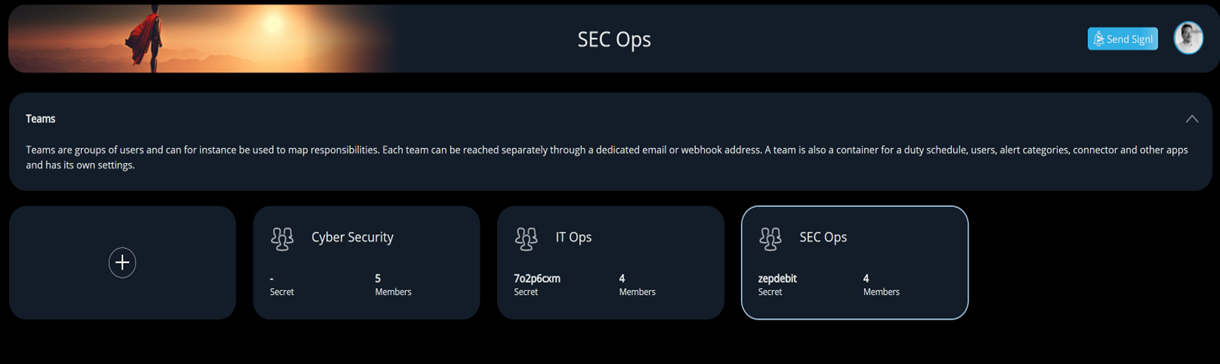
Email to push notifications for your SecOps Teams

Next, install the SIGNL4 mobile app:

2. You’re Already on a Team – No Setup Required

Unlike many alerting platforms, SIGNL4 automates team setup from the start.

  • Upon signup, you’re instantly added to a pre-configured team workspace.
  • Your account is provisioned as an active team member, which means:
    • You’ll begin receiving alerts immediately (as long as you’re on duty)
    • You can acknowledge, resolve, or comment on incidents via the mobile app
    • You are granted admin access to manage your team and invite others

To invite teammates:

  • Log in to the SIGNL4 Web Portal
  • Navigate to the “Users” section
  • Enter a colleague’s email to send an invitation

Once accepted, they’ll automatically be added to your team and start receiving alerts based on duty hours.

Your team can go from sign-up to mobile push notifications in minutes.
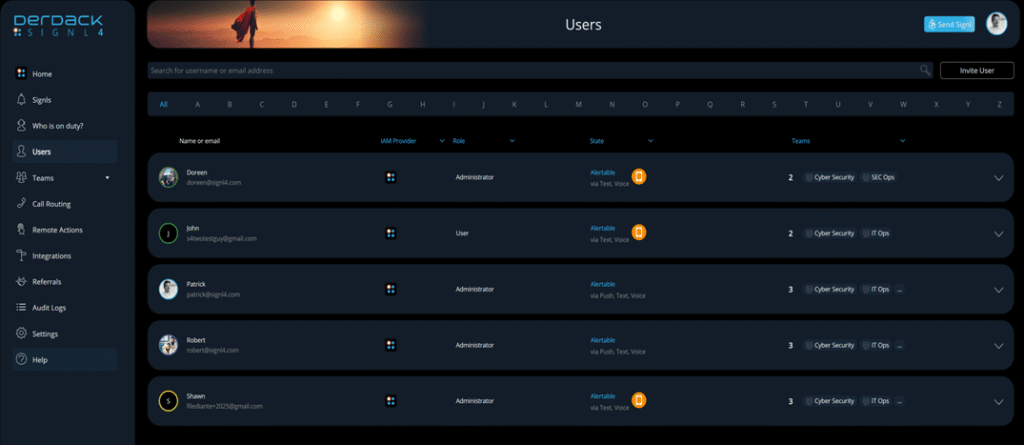
Email to push notifications for all of your users

3. Customize Your Notification Channels

SIGNL4 delivers alerts via multiple channels to maximize visibility:

  • Mobile Push Notifications
  • SMS Text Messages
  • Voice Calls
  • Emails

To configure notification preferences in the mobile app:

  • Open the SIGNL4 app and go to Settings > Signaling
  • Verify your mobile number to enable SMS and voice call alerts
  • Use the sliders at the top to select your preferred notification methods

4. Test Your Alert Delivery

Make sure everything is working end-to-end with a quick test:

  • Send an email to your dedicated SIGNL4 email address (e.g., teamsecret@mail.signl4.com)
    You can use a test message – or better yet, forward a real alert from one of your systems.
  • Instantly, you’ll receive notifications on your phone based on the delivery methods and timing you set.
  • Use the SIGNL4 app to acknowledge or close the alert to stop repeated notifications.

In seconds, you’ll experience how SIGNL4 transforms ordinary emails into high-impact mobile alerts.

Expert Tip: Enable “Do Not Disturb” Override

Many users overlook the fact that mobile alerts can be suppressed by silent mode or Do Not Disturb (DND) settings.

SIGNL4 can override DND or silent mode (with user permission) so critical alerts always get through.

Learn how to configure DND overrides for Android and iOS here

What to Do Next

Discover SIGNL4

SIGNL4 Alerting App

Stay ahead of critical incidents with SIGNL4 and its superpowers. SIGNL4 provides superior and automated mobile alerting, delivers alerts to the right people at the right time and enables operations teams to respond and to manage incidents from anywhere.

Learn more about SIGNL4 and start your free 30-days trial.

    Mobile Alerting & Anywhere Incident Response

    Feature Overview

    A comprehensive Platform for mobile Alerting for an up to 10x faster Response

    AIOps and AI Alerting

    AI-powered Alerting and Alert & Incident Management

    Reliable Alert Notifications

    Alert Notifications by push, text, voice and email. With Tracking and Escalations

    Alerting App

    The modern Way of receiving and managing critical Alerts on-the-go

    On-Call Scheduling

    Ai-powered Scheduling and Management of On-Call Duties and Shifts

    Call Routing

    Live call routing and a Voice Mailbox for modern after-business Hours Operations

      Use Cases

      IT Alerting

      Stay ahead of critical IT incidents and minimize downtime with SIGNL4 – automated, secure, and in real-time

      Incident Management

      Accelerate response, and streamline incident workflows with real-time mobile alerts

      SecOps Alerting

      Respond faster to cyber threats with mobile-first alerting

      SCADA Alarm Notifications

      Respond faster to machine breakdowns, quality issues, and maintenance calls

        IoT Service Alerting

        Automatically alert and notify your field service teams based on real-time signals from your IoT sensors and devices

        Field Service Alerting

        Automated Mobile Routing of Service Requests and Alerts to Field Teams

        On-Call Management

        Create and manage duty schedules, automate alert delivery, escalate seamlessly, and route after-hours calls

        After-Hours Call Routing

        SIGNL4 automatically routes after-hours calls to on-call staff – ensuring timely response and 24/7 coverage

        Building Automation

        Ensure fast response, fewer disruptions, and better facility management and service

        Emergency Alerting

        Keep your teams prepared when every second counts. SIGNL4 delivers fast, reliable emergency notifications

        Alert Management

        A central alert management hub helps to streamline alerting processes from multiple enterprise systems

        Integrations and APIs

        Integrations Overview

        We have verified and tested 200+ Integrations with 3d Party Products

        EMail (SMTP)

        The fastest and easiest way to connect to SIGNL4.

        REST API

        Seamlessly integrate services or implement additional features

        Webhook

        SIGNL4’s most popular and flexible integration

          Selected Customer Case Studies

          Airport Berlin-Brandenburg

          Automated Alerts and Mobile Incident Response for Luggage Transportation Systems

          BASF Coatings

          Automated Transport Dispatching with IoT Buttons and a mobile App for optimized Intralogistics

          RedIron, Canada

          Unifying Alerts and Notifications in mission-critical IT Operations

          CSP Lighthouse, Australia

          Reliable 24/7 Alerting for a global Cybersecurity Service Provider

            Swiss Bankers, Switzerland

            Real-Time Fraud Prevention with 24/7 mobile alerting in Financial Services Operation

            Conexus Credit Union, Canada

            Conexus transformed Incident Response in a Single Day with SIGNL4

            About us

            About Derdack & SIGNL4

            Learn more about a Market Leader in mobile Alerting and Anywhere Incident Response for critical Systems

            Partner Program

            Become a SIGNL4 Partner and take Advantage of a well-established and rapidly growing Product

            Newsletter

            Get Updates, exciting Insights, and Customer Stories – Sign up for our Newsletter!

            Glossary

            We explain the most important Terms and Topics in the Field of Alerting and Incident Management

            Blog

            Our blog offers expert insights and practical tips for getting the most out of SIGNL4

              DERDACK SIGNL4
              Privacy Overview

              This website uses cookies so that we can provide you with the best user experience possible. Cookie information is stored in your browser and performs functions such as recognising you when you return to our website and helping our team to understand which sections of the website you find most interesting and useful.