

Article by Doreen Jacobi
The threat and security landscape is becoming increasingly cluttered. As incidents increase, so do alerts and notifications, leading to too many alerts and too few hours to address them. Many businesses work remote and with the ever-present smartphones, we are always on the go. Yet it is essential that security teams receive and prioritize meaningful threats, but that task is easier said than done. Traditional security incident management involves manual monitoring and response to security alerts, which can be time-consuming and prone to human error. To address these challenges, businesses are turning to automation and to 24×7 mobile access to streamline their security incident management processes and help protect their most sensitive assets.
Challenges with manual security incident management
Security incident management involves detecting and responding to security threats in real-time. If done manually, this process can be challenging for several reasons. First of all – it is very time-consuming to filter through all the noise and make sure that critical threats don’t get lost in the sea of incident messages coming from multiple systems and devices that are monitored. Threats aren’t always easy to identify, and standard rules and procedures don’t catch everything that is going on. Security analysts need the ability to customize detection rules, identify patterns, and they need all relevant information at their fingertips to respond quickly and efficiently. False alerts can be deceptive, and they contribute to analyst burnout.
It’s hard to determine which security incidents are truly critical. And when security teams are off the clock, it’s even harder to ensure that threat investigations continue until they are resolved. Traditional communication of security incidents often still requires manual dispatching by security operations center (SOC) or control room operations, resulting in latencies and human errors. Customers that have a manual process lose time trying to track down responsible on-call staff or escalating to other employees. And during that time, audit trailing might be incomplete if not all details are logged. This can result in threats going unaddressed and in service downtimes.
Benefits of automating your security incident management and response
So, what is the answer? It lies in automating your entire threat management and going mobile for your response processes. This provides you with access to intelligent threat detection, machine-learning based insights, visualization of patterns and the actual communication and response of incidents on the go. With such a fully automated set up, you can quickly filter through the noise, detect and address the real threats before they can impact your operations and assets, and have complete transparency including a full audit trail on who is currently working on an issue and how long each issue took to address. You save time, address threats more effectively, and reduce human latencies. Automation will free up security analysts to focus on more strategic tasks, such as extensive threat hunting and system optimization. And not to forget, automation can help businesses to comply with regulatory requirements, such as GDPR, by providing an auditable trail of security incidents.
The Importance of choosing the right solution
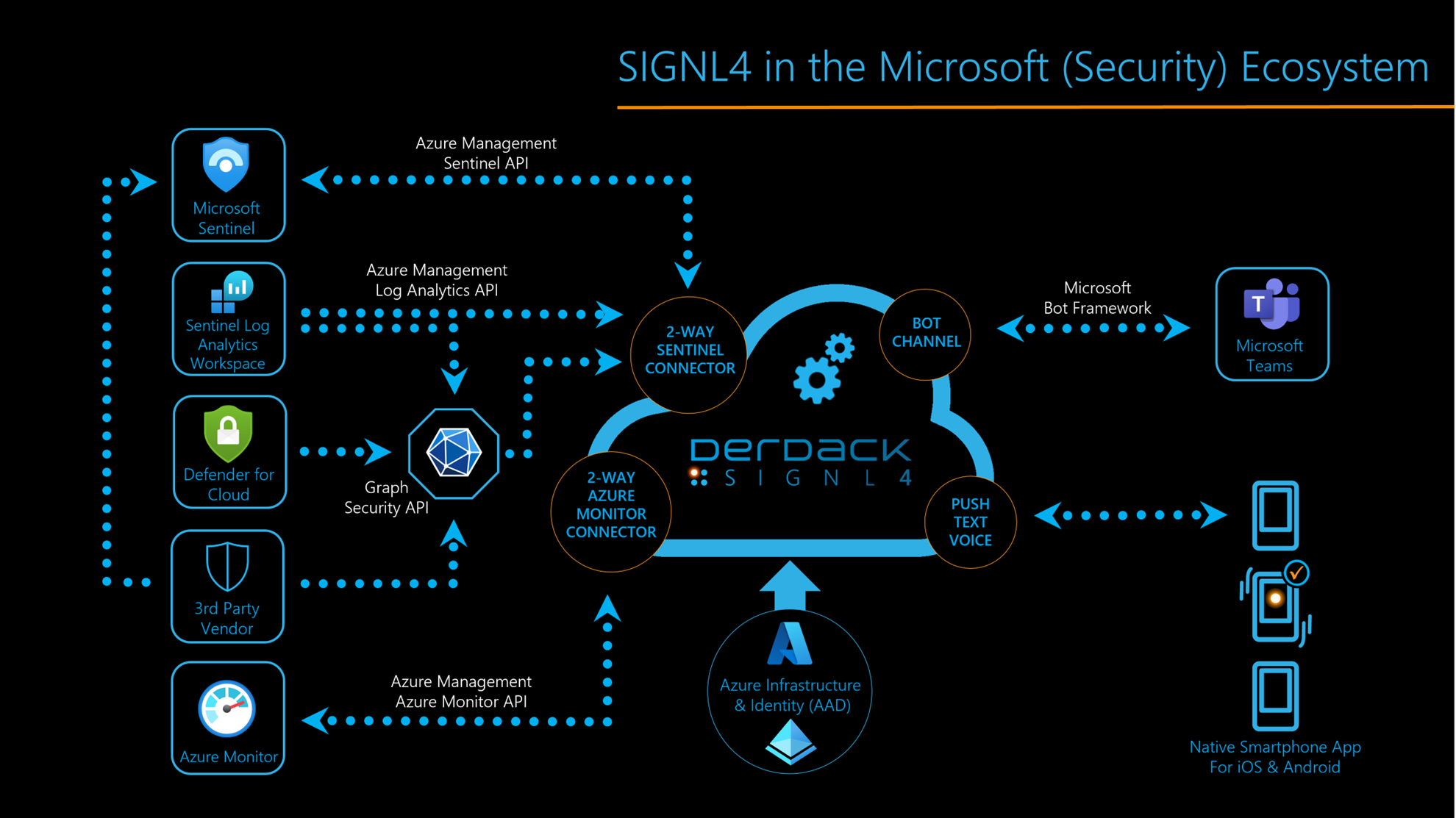
When it comes to protecting sensitive assets, choosing the right security solution is crucial. It’s important to have a comprehensive solution that covers all aspects of security, without having to pick and choose from multiple vendors. Dealing with too many vendors can be counterproductive to the automation process and can potentially add vulnerabilities if the solutions don’t work together seamlessly. That’s why Microsoft Security, named a leader for SIEM by Gartner, and Derdack SIGNL4, a leader for automating critical incident response and communication, are the perfect duo. Microsoft Sentinel, a cloud native SIEM system, seamlessly integrates with various Microsoft services such as Office 365, Azure, and Microsoft Defender. SIGNL4, on the other hand, helps respond to critical threats up to 10x faster.
Together, Sentinel and SIGNL4 provide security teams with a central dashboard for their security operations, reducing security and compliance costs by up to 60%. By automating your security incident management and enabling mobile response processes, teams can save time, reduce errors and ensure compliance with regulations. And with the seamless integration of Sentinel and SIGNL4, teams can detect, investigate and respond to threats across all their cloud and on-premise assets with ease.
Setting up SIGNL4 and Sentinel for automation
SIGNL4 uses a service principal in Azure (“App registration”) when making calls to the Azure APIs. In addition, this principal is added to a custom user role which tailors access permissions to a minimum of required resources. And the best about this is, you don’t need to create these things manually but can use a PowerShell script.
The Sentinel connector app connects to your Azure client using the Microsoft Sentinel API. The Subscription ID, Tenant ID and Client ID, along with the client secret that is generated by the PowerShell script, provide direct access to read incidents that are created within your log analytics workspace tailored to specific resource groups. These incidents can be polled based on severity to help filter for the most critical events.
For details and a step-by-step guide on how to complete the integration in just a few minutes, please, check out our knowledge base and video.
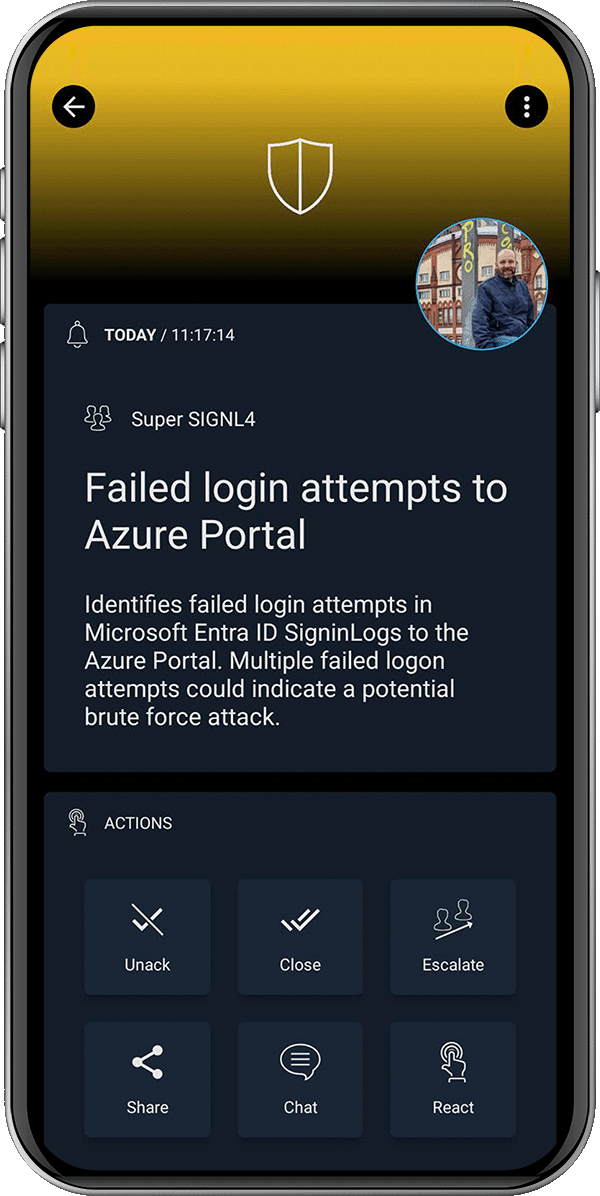
SIGNL4 offers a complete digital and mobile solution for on-call scheduling and management, also covering all related communications and alerting needs. With a user-friendly web browser interface, on-call scheduling becomes effortless, replacing cumbersome Excel spreadsheets. Planning can be duplicated with a copy mode, saving time and ensuring transparency. Furthermore, the duty schedule serves as the foundation for automatic and timely forwarding of alarms and messages to the right on duty staff.
Examples of automated security incident and mobile response scenarios
Here are some examples of how SIGNL4 and Sentinel can be used together to automate your security threat management:
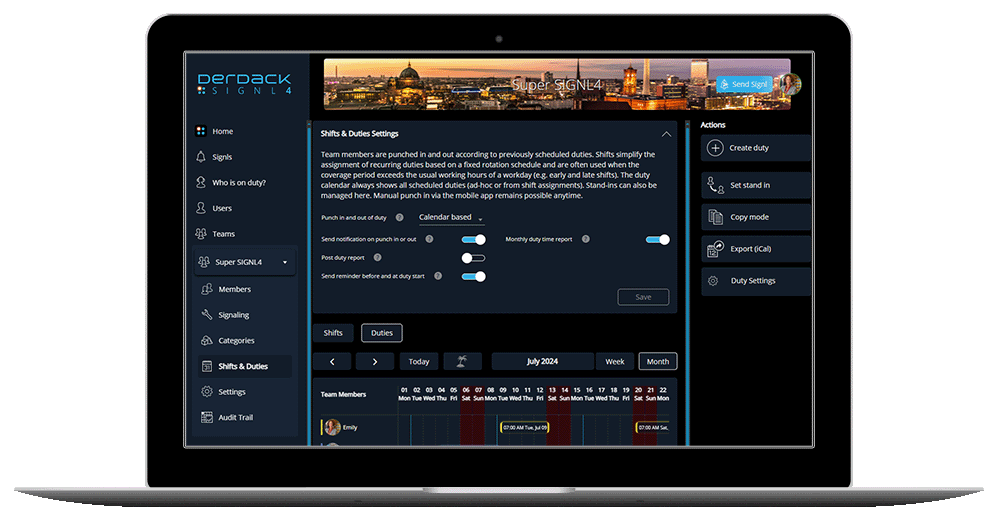
- An employee tries to access a sensitive file outside of business hours. This is a breach of your security policy. Sentinel detects this activity and SIGNL4 escalates the incident to the security team member on-call in real-time so, he can take appropriate action.
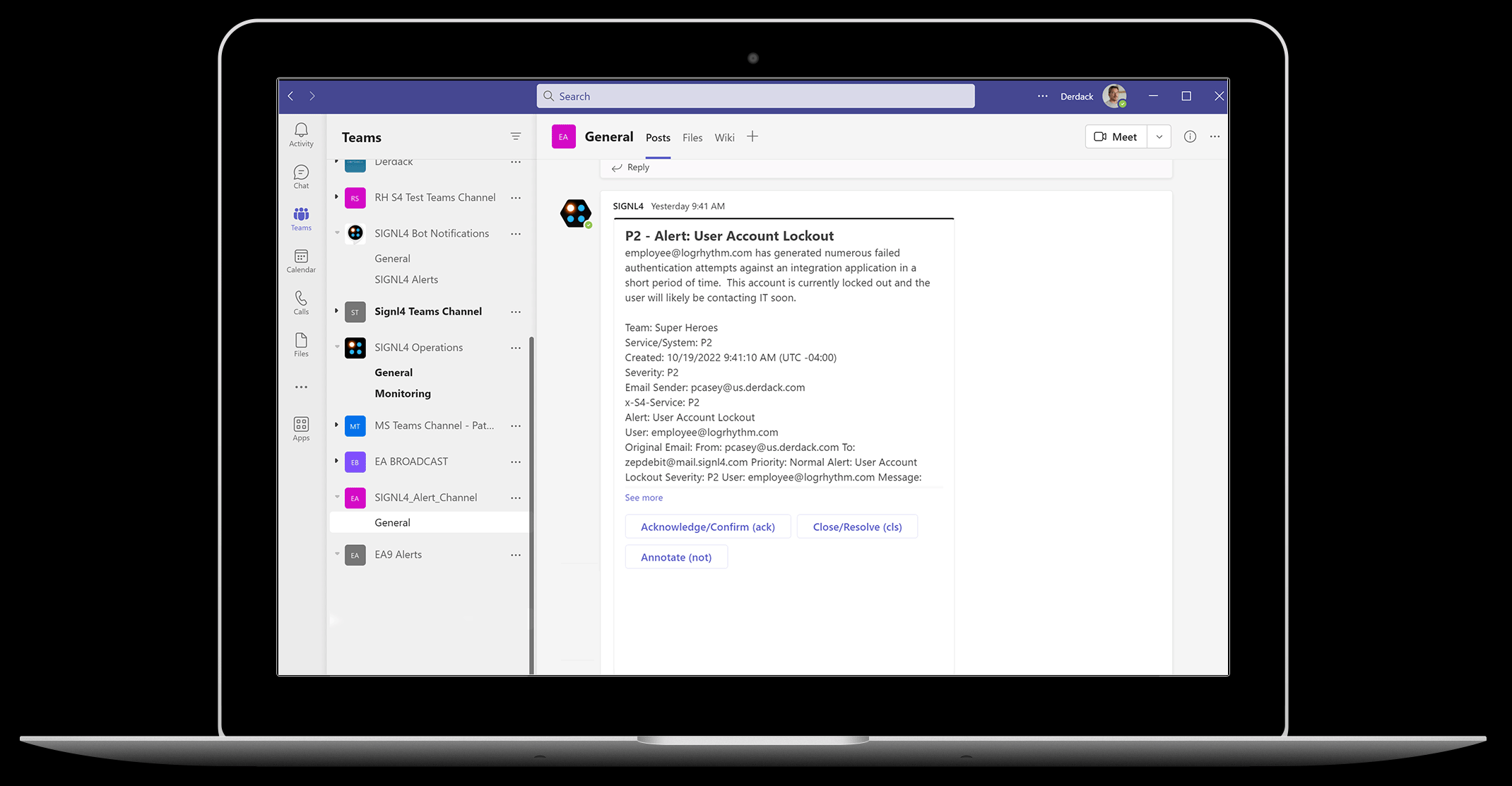
- An unauthorized user tries to log in to your network. Sentinel detects this activity and SIGNL4 alerts the security team on-call providing all relevant information and data for the on-call analyst to investigate and block the user.
Best practices for your Security Incident Management and Mobile Response
Here are some best practices to follow when automating your security incident management and response processes:
- Define clear escalation procedures to ensure that alerts are directed to the right person at the right time.
- Automate your communication of critical threats and incidents to avoid latencies or incomplete audit trails.
- Adapt your policies to ensure you cater for how your teams work and to ensure they have access to critical information on the go.
- Use products that complement each other and are user friendly, visual, easy to handle and set up. This provides you with instant benefits and fast user adoption which in turn increases awareness and avoids burnouts.
Conclusion
Managing security threats and incidents can be a daunting task in today’s complex and ever-changing SecOps environment. With limited time and limited resources, automation is key. With SIGNL4 and Microsoft Sentinel you can rely on a powerful duo that will help you to save time, reduce human latencies, increase transparency, provide complete audit trails, and ensure that analysts can focus on more strategic tasks, such as threat hunting and system optimization.
You can find detailed information about the benefits in our e-book.