
December 2019 Update: User roles, App enhancements and Azure Sentinel integration

Dec 11, 2019 | General, Updates

Our December update includes a new role model for users in a SIGNL4 team, great new app features and integration with Azure Sentinel.

Introducing user roles

Two default user roles are now available in each SIGNL4 team: Administrator and User. This allows for restricting standard user rights versus administrative access.

For existing teams, all users are migrated to administrators, i.e. you should check this role assignment and downgrade some team members to users yourself if necessary.

Otherwise, all newly invited users are now by default only in the role “User”. If such a user cannot do things in the app because they are not allowed according to his user role, he will be shown an according message in mobile app.

In the enterprise environment, it is now easier to pursue a centralized management approach to notification workflows, so that regular employees can only receive alerts but not change the setup.

Mobile app: Auto-complete for annotations and messages

The mobile app now has an auto-complete feature built in. This allows you to select existing text modules from a small selection field when triggering new Signls or entering Signl comments. The list is fed from the texts that were previously entered here.

In addition, we have moved some settings for the app and its behavior to a separate “Settings” menu. New is the possibility to switch off sound effects during acknowledgement and other actions in the app.

2-way integration with Azure Sentinel and Microsoft Graph API

SIGNL4 now has a new connector app for integration with Azure Sentinel and the Microsoft Graph Security API. This simplifies the integration of security alerts with SIGNL4.

Once added to your SIGNL4 team, the connector automatically reads security alerts from Microsoft Graph Security API and triggers Signls for your on-duty team members. It also synchronizes SIGNL4’s alarm status with the Microsoft Graph Security API, so that when alarms are confirmed or closed, the status is also updated on the corresponding alarm from the Microsoft Graph Security API or the according security provider. As mentioned earlier, the connector mainly uses the Microsoft Graph Security API, but for some graph security vendors, such as Azure Sentinel, it also uses dedicated REST APIs from appropriate Microsoft Azure solutions in order to augment the alert details with according search results directly from the underlying Log Analytics workspace.

This video describes how to easily connect the app to your Microsoft Azure environment and what great features await you afterwards.

Please note: The connector app requires your SIGNL4 subscription to be in the Optimize or Maximize. If you are in that plan and the Azure Sentinel app tile shows a message that you have to upgrade your subscription in oder to use the app, then please wait a few hours and check back later. The SIGNL4 licensing engine takes some time to upgrade existing subscriptions with newly added template apps that we have added to SIGNL4.

Discover SIGNL4

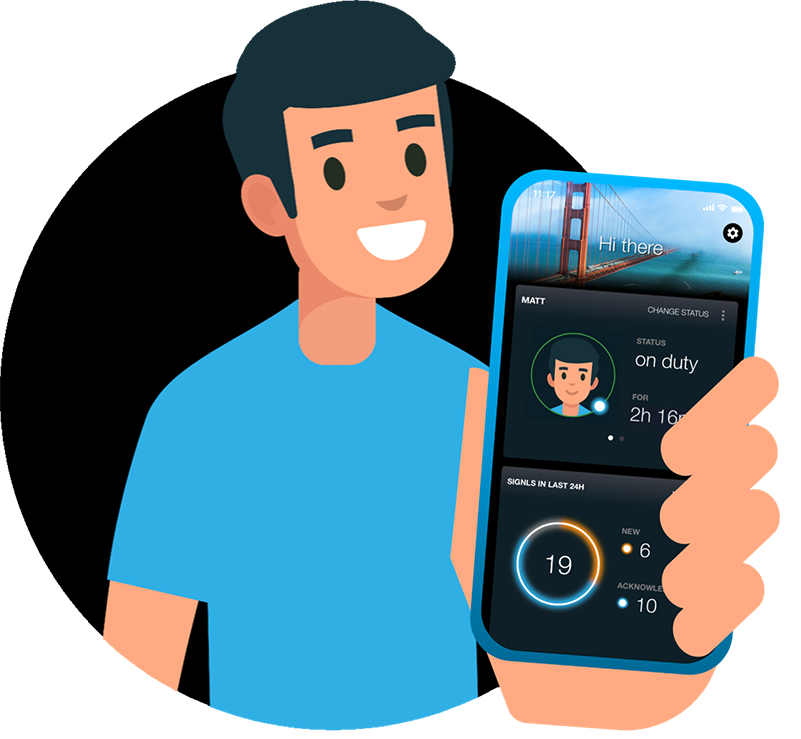
Dashboard of SIGNL4's mobile Alerting App

Stay ahead of critical incidents with SIGNL4 and its superpowers. SIGNL4 provides superior and automated mobile alerting, delivers alerts to the right people at the right time and enables operations teams to respond and to manage incidents from anywhere.

Learn more about SIGNL4 and start your free 30-days trial.

    Mobile Alerting & Anywhere Incident Response

    Feature Overview

    A comprehensive Platform for mobile Alerting for an up to 10x faster Response

    AIOps and AI Alerting

    AI-powered Alerting and Alert & Incident Management

    Reliable Alert Notifications

    Alert Notifications by push, text, voice and email. With Tracking and Escalations

    Alerting App

    The modern Way of receiving and managing critical Alerts on-the-go

    On-Call Scheduling

    Ai-powered Scheduling and Management of On-Call Duties and Shifts

    Call Routing

    Live call routing and a Voice Mailbox for modern after-business Hours Operations

      Use Cases

      IT Alerting

      Stay ahead of critical IT incidents and minimize downtime with SIGNL4 – automated, secure, and in real-time

      Incident Management

      Accelerate response, and streamline incident workflows with real-time mobile alerts

      SecOps Alerting

      Respond faster to cyber threats with mobile-first alerting

      SCADA Alarm Notifications

      Respond faster to machine breakdowns, quality issues, and maintenance calls

        IoT Service Alerting

        Automatically alert and notify your field service teams based on real-time signals from your IoT sensors and devices

        Field Service Alerting

        Automated Mobile Routing of Service Requests and Alerts to Field Teams

        On-Call Management

        Create and manage duty schedules, automate alert delivery, escalate seamlessly, and route after-hours calls

        After-Hours Call Routing

        SIGNL4 automatically routes after-hours calls to on-call staff – ensuring timely response and 24/7 coverage

        Building Automation

        Ensure fast response, fewer disruptions, and better facility management and service

        Emergency Alerting

        Keep your teams prepared when every second counts. SIGNL4 delivers fast, reliable emergency notifications

        Alert Management

        A central alert management hub helps to streamline alerting processes from multiple enterprise systems

        Integrations and APIs

        Integrations Overview

        We have verified and tested 200+ Integrations with 3d Party Products

        EMail (SMTP)

        The fastest and easiest way to connect to SIGNL4.

        REST API

        Seamlessly integrate services or implement additional features

        Webhook

        SIGNL4’s most popular and flexible integration

          Selected Customer Case Studies

          Airport Berlin-Brandenburg

          Automated Alerts and Mobile Incident Response for Luggage Transportation Systems

          BASF Coatings

          Automated Transport Dispatching with IoT Buttons and a mobile App for optimized Intralogistics

          RedIron, Canada

          Unifying Alerts and Notifications in mission-critical IT Operations

          CSP Lighthouse, Australia

          Reliable 24/7 Alerting for a global Cybersecurity Service Provider

            Swiss Bankers, Switzerland

            Real-Time Fraud Prevention with 24/7 mobile alerting in Financial Services Operation

            Conexus Credit Union, Canada

            Conexus transformed Incident Response in a Single Day with SIGNL4

            Overview of Industries

            Exciting case studies from selected customers in sectors such as logistics, aviation, manufacturing, finance and IT

            About us

            About Derdack & SIGNL4

            Learn more about a Market Leader in mobile Alerting and Anywhere Incident Response for critical Systems

            Partner Program

            Become a SIGNL4 Partner and take Advantage of a well-established and rapidly growing Product

            Newsletter

            Get Updates, exciting Insights, and Customer Stories – Sign up for our Newsletter!

            Glossary

            We explain the most important Terms and Topics in the Field of Alerting and Incident Management

            Blog

            Our blog offers expert insights and practical tips for getting the most out of SIGNL4

              SIGNL4 got recognized by the G2 Community
              DERDACK SIGNL4
              Privacy Overview

              This website uses cookies so that we can provide you with the best user experience possible. Cookie information is stored in your browser and performs functions such as recognising you when you return to our website and helping our team to understand which sections of the website you find most interesting and useful.